Korelda
Payday to tax time, in one app.
- In beta on TestFlight.
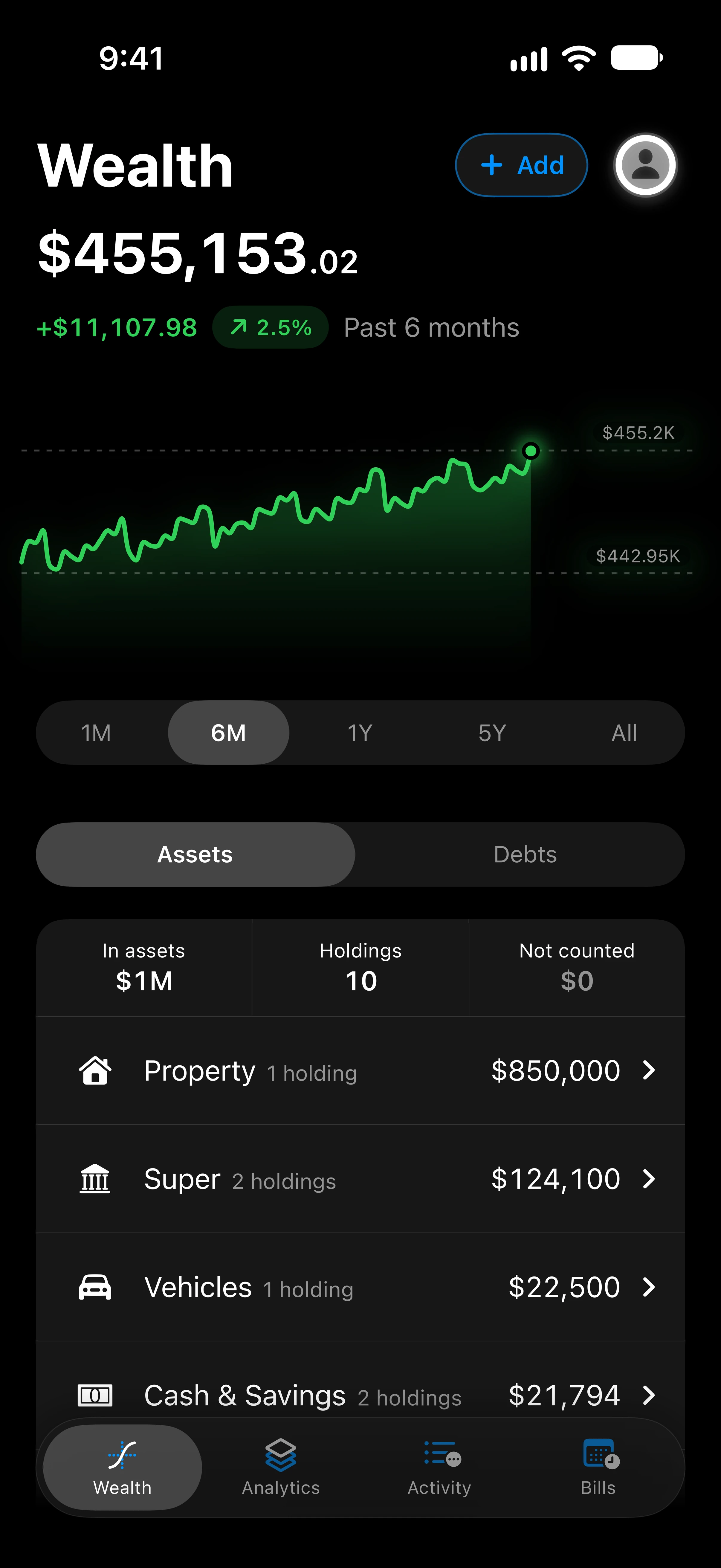


















Wealth Your net worth, from the house to the crypto.
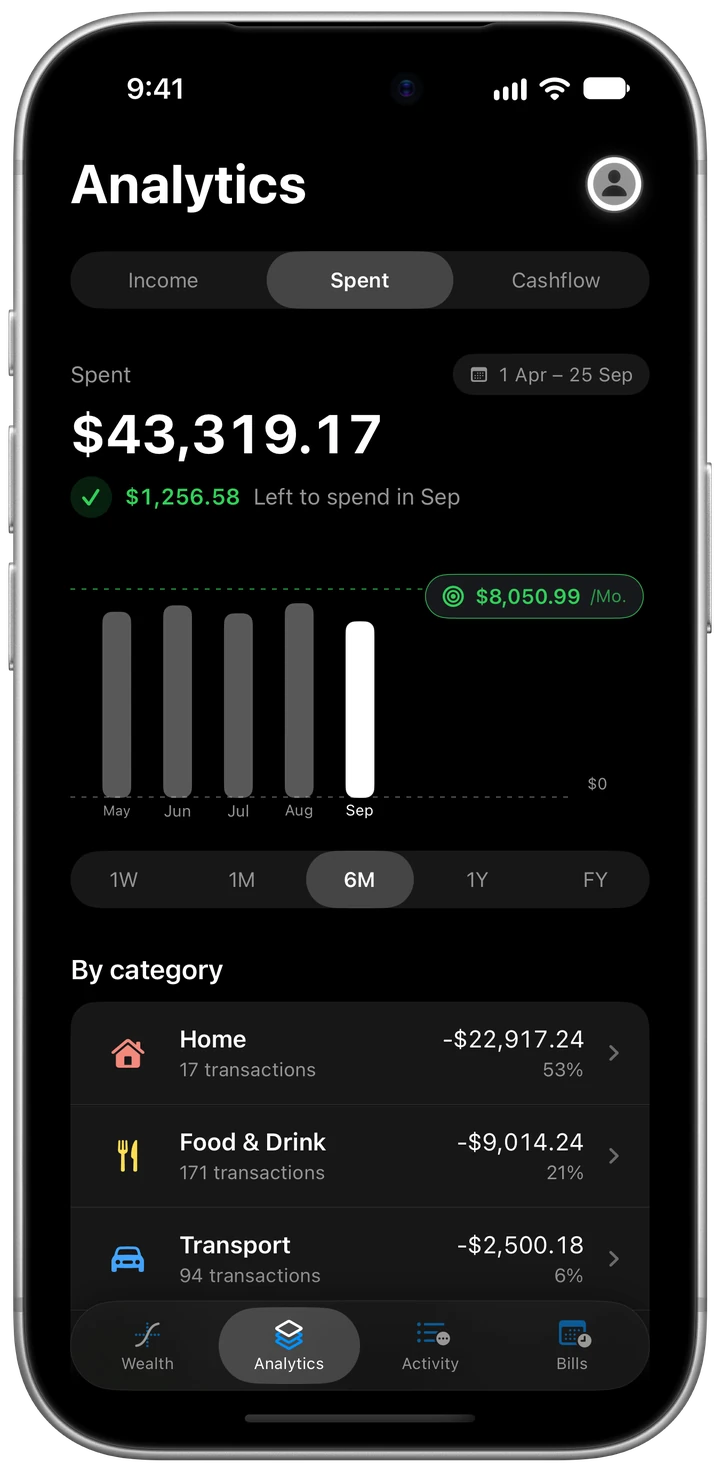
Analytics Money in, money out, and what’s left.
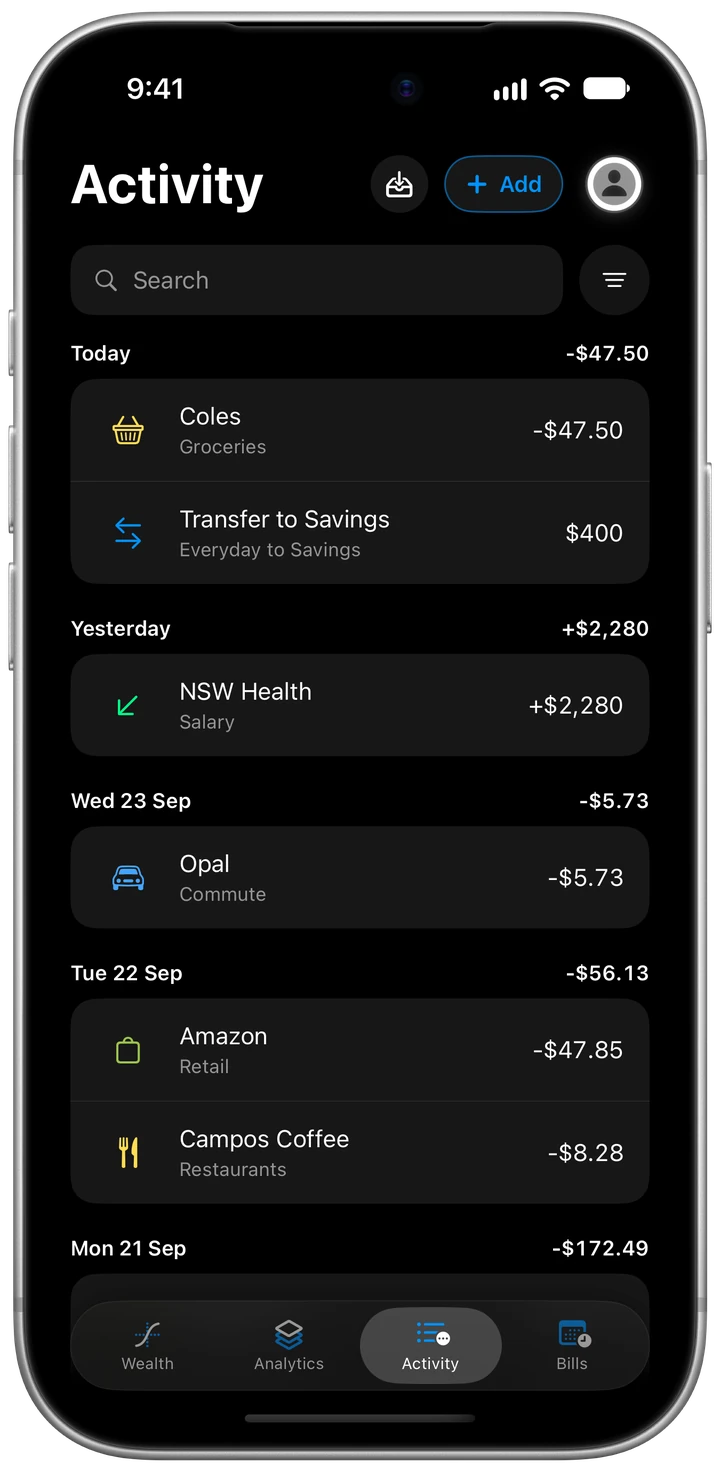
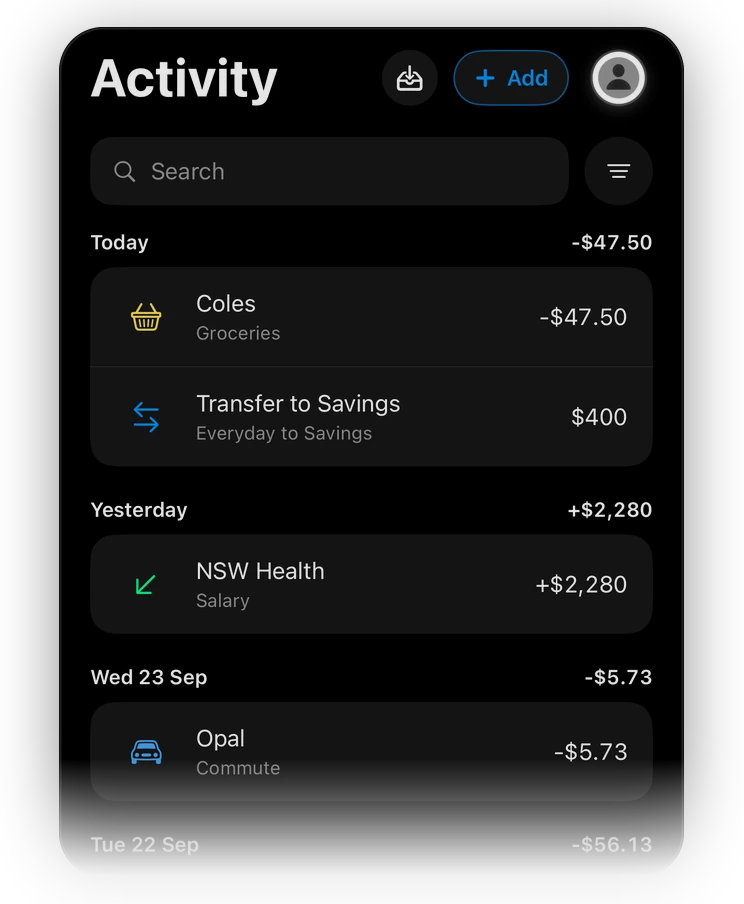
Activity Every payment, named and filed.
Bills The fortnight ahead, from due to paid.
Korelda at a glance
Money, sorted.
-
Get it in. Bank feeds are coming, through Fiskil. Until then, save a statement from your bank as a CSV or PDF and bring it in, its names and categories tidied on your phone.
-
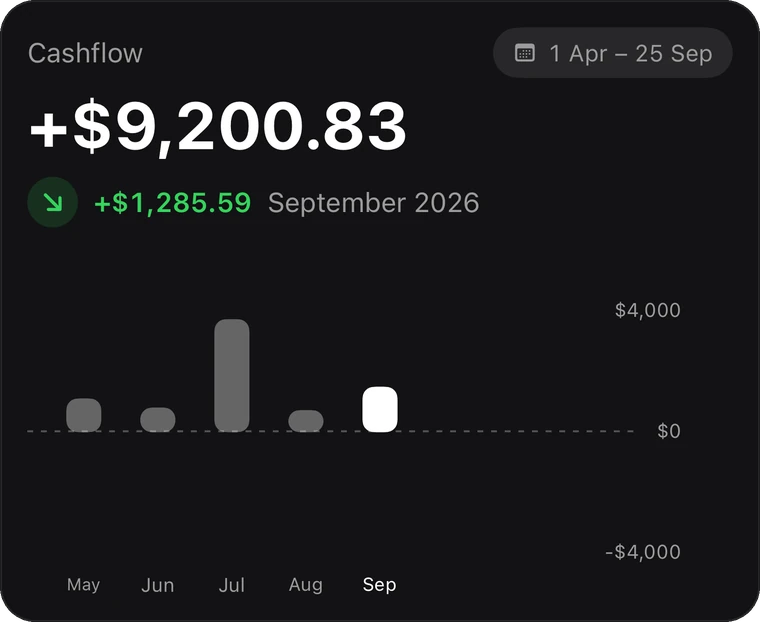
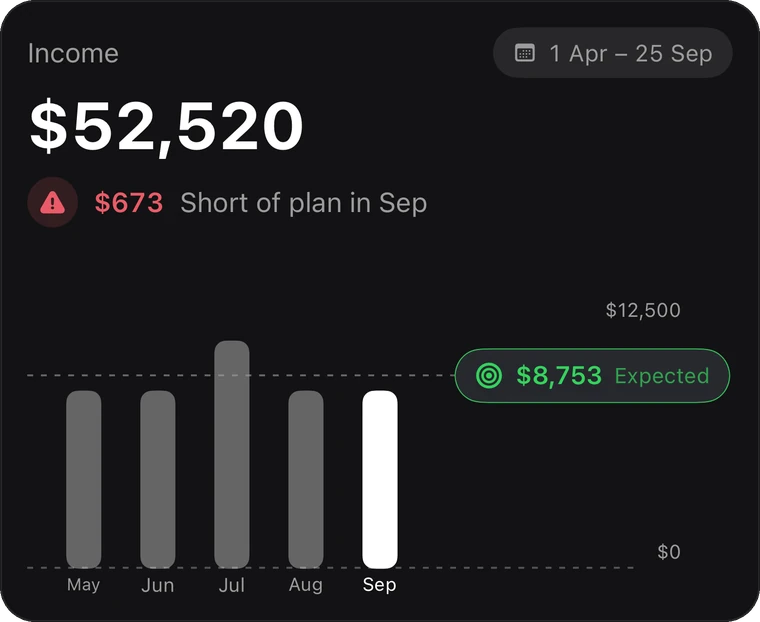
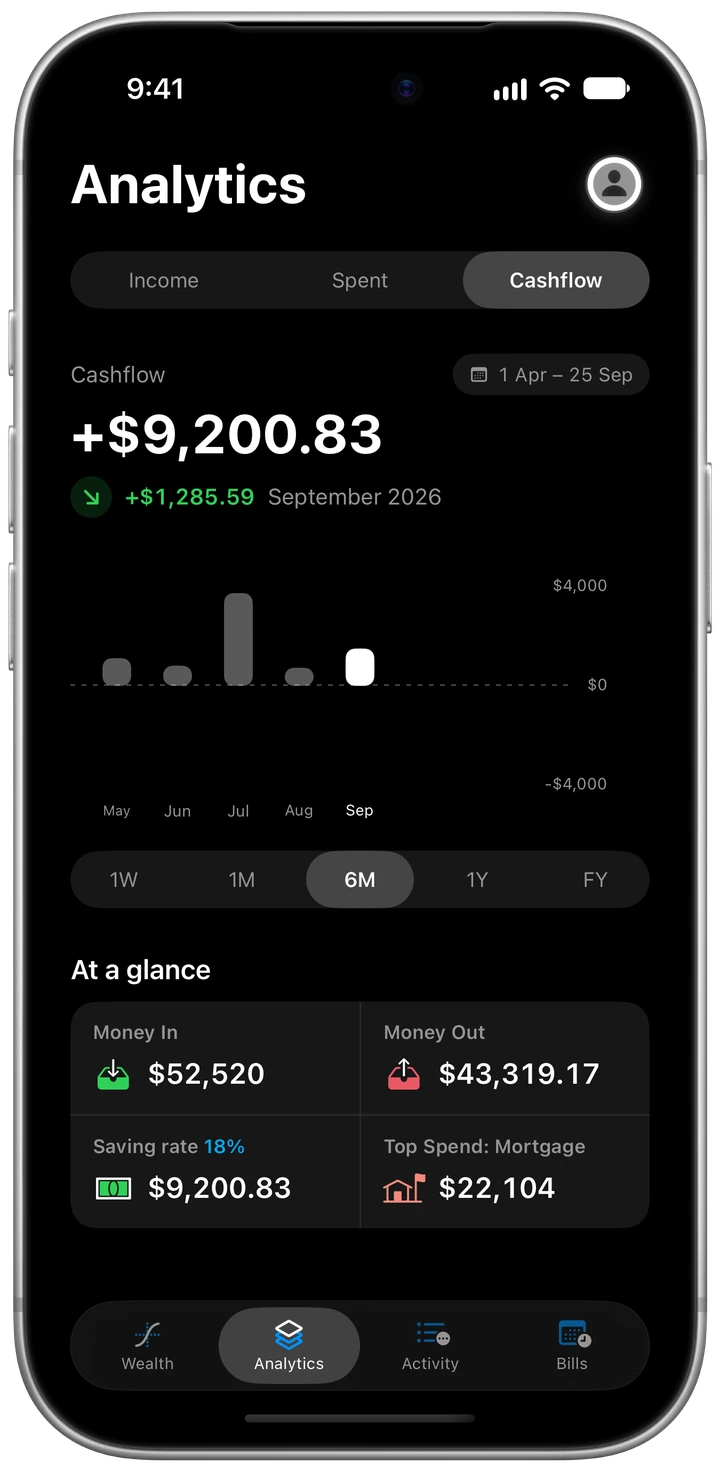
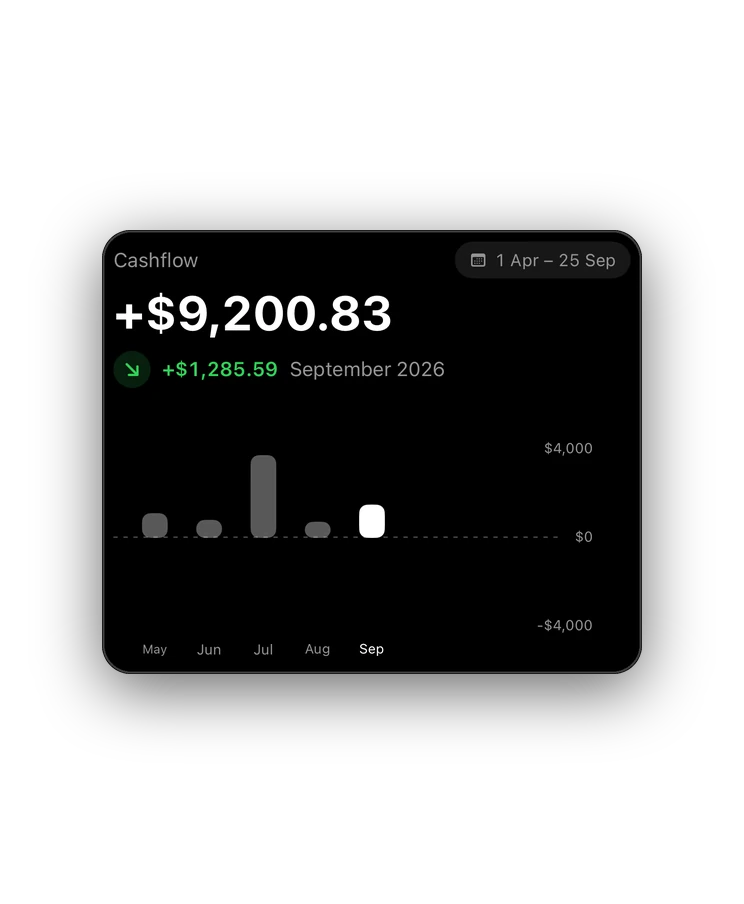
Where it goes. What came in against what went out. Over six months you’re $9,200.83 ahead, a saving rate of 18%.
-
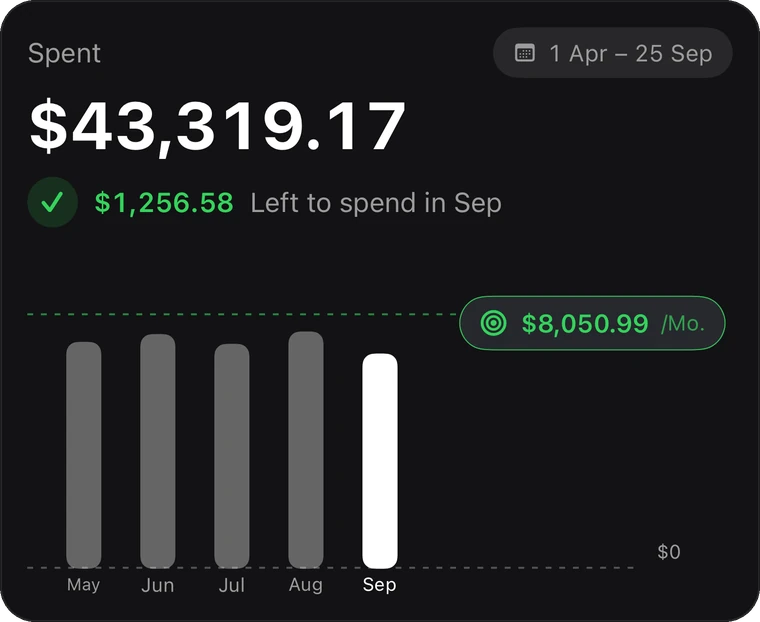
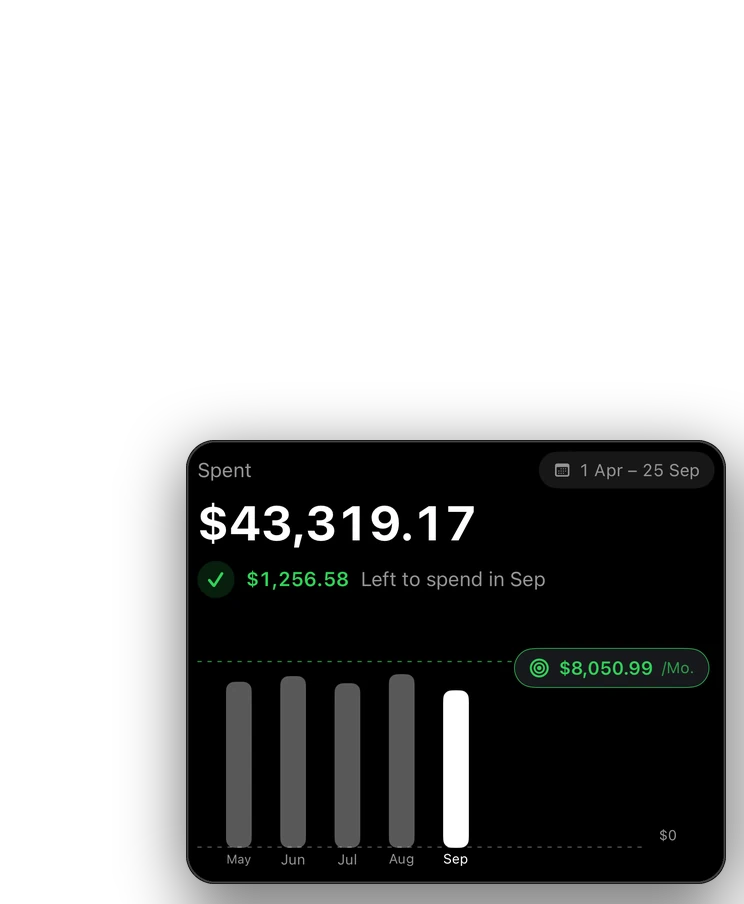
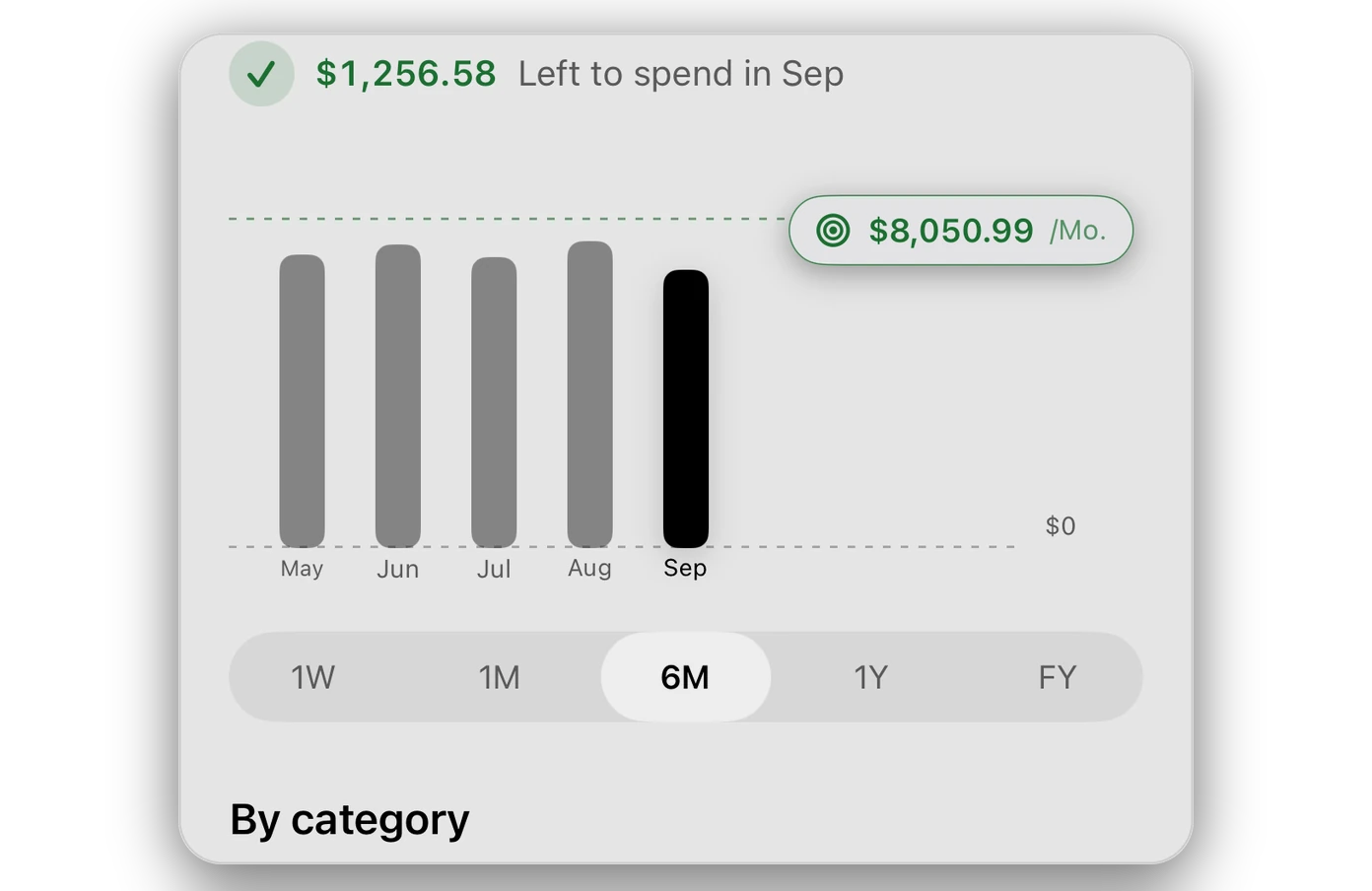
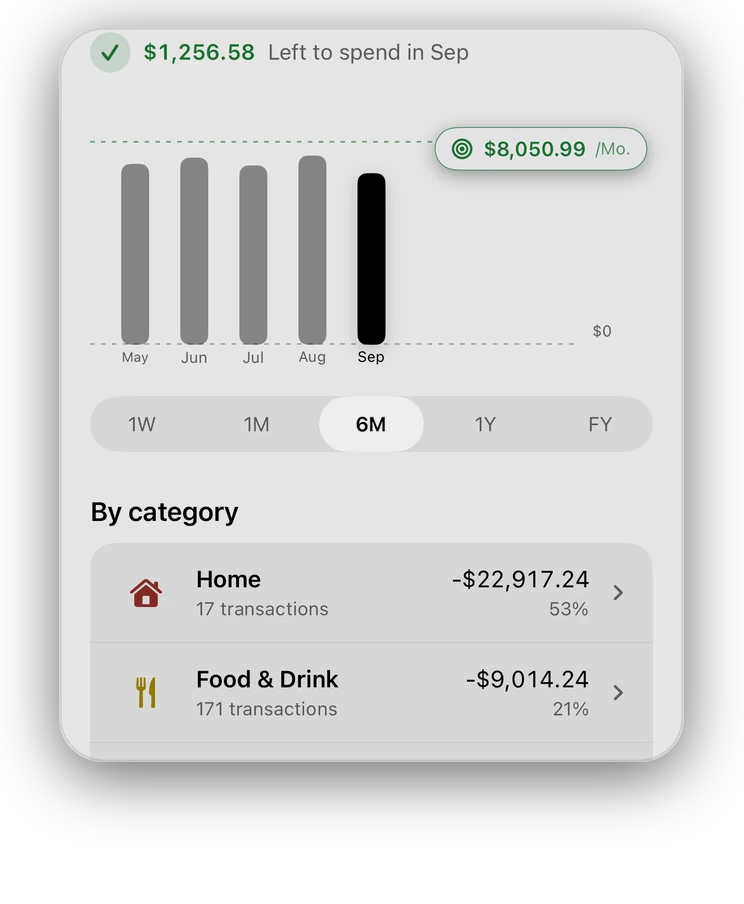
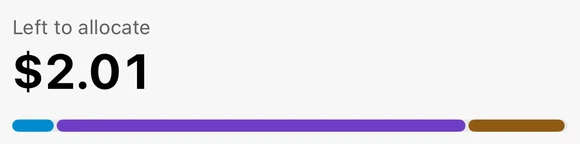
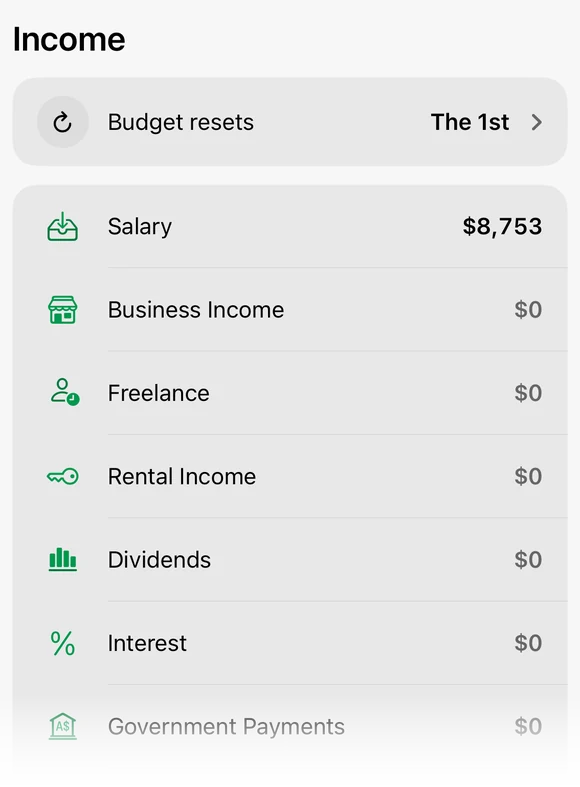
Budget. Savings go first, your bills fill in the fixed expenses, and the variable ones get the rest: $1,256.58 of $8,050.99 left this month.
-
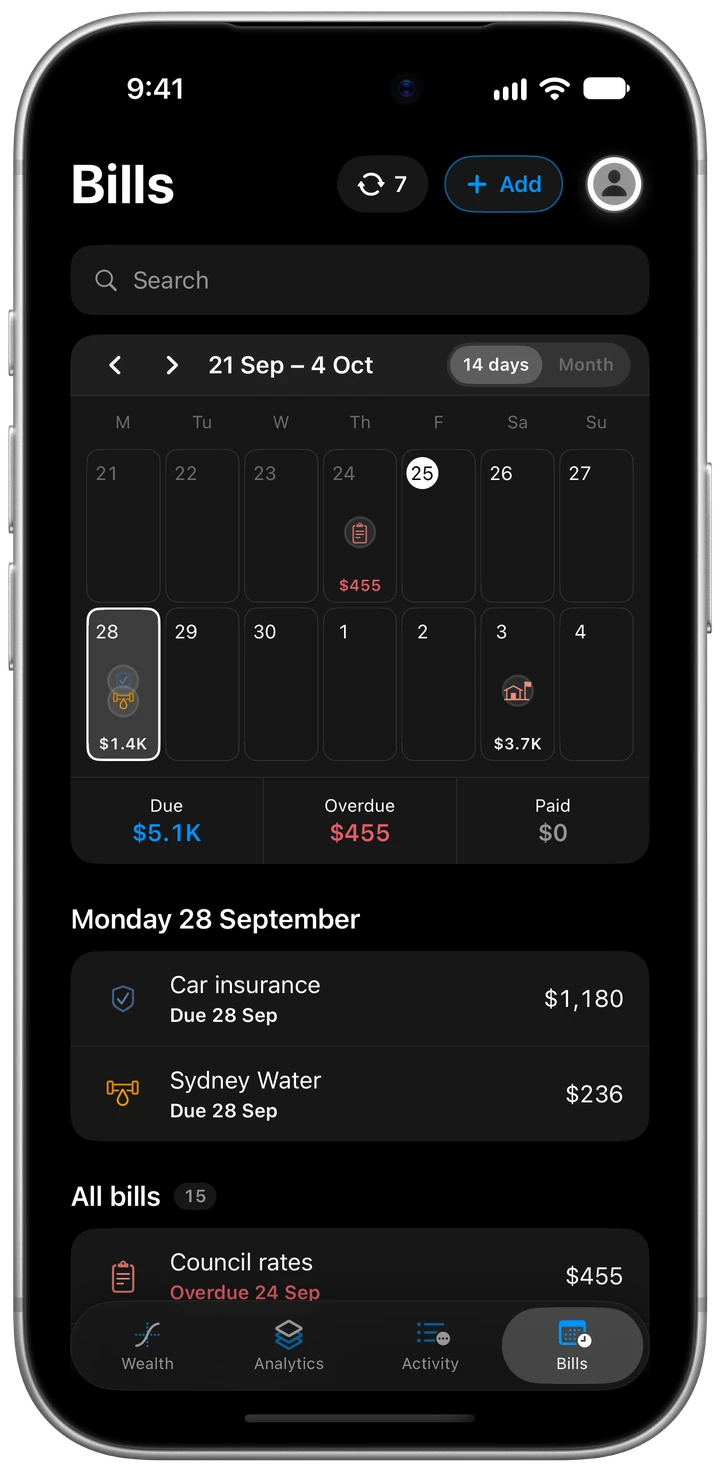
Bills. The fortnight’s bills in one place, and each one ticks itself off when the payment lands.
-
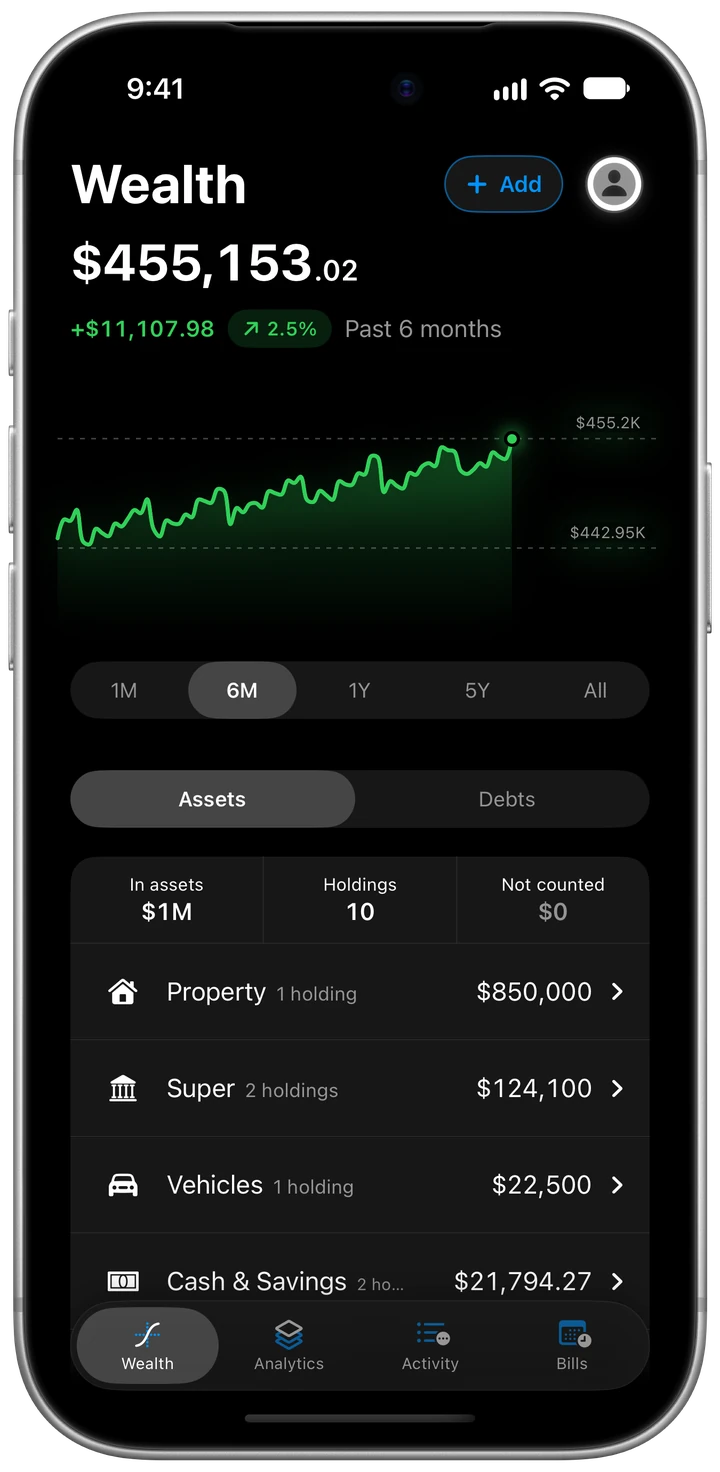
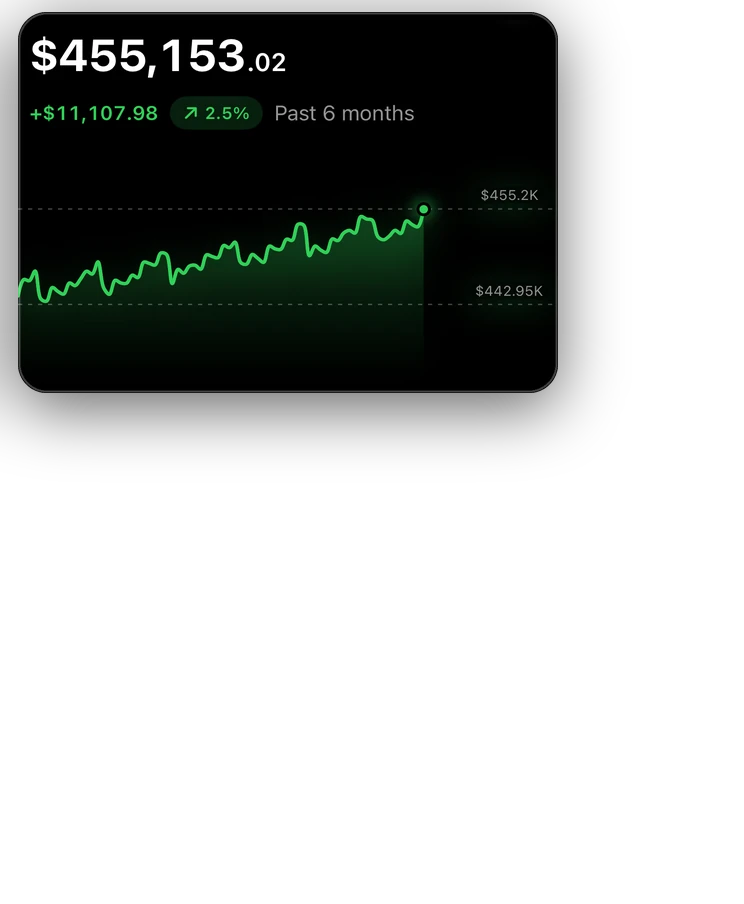
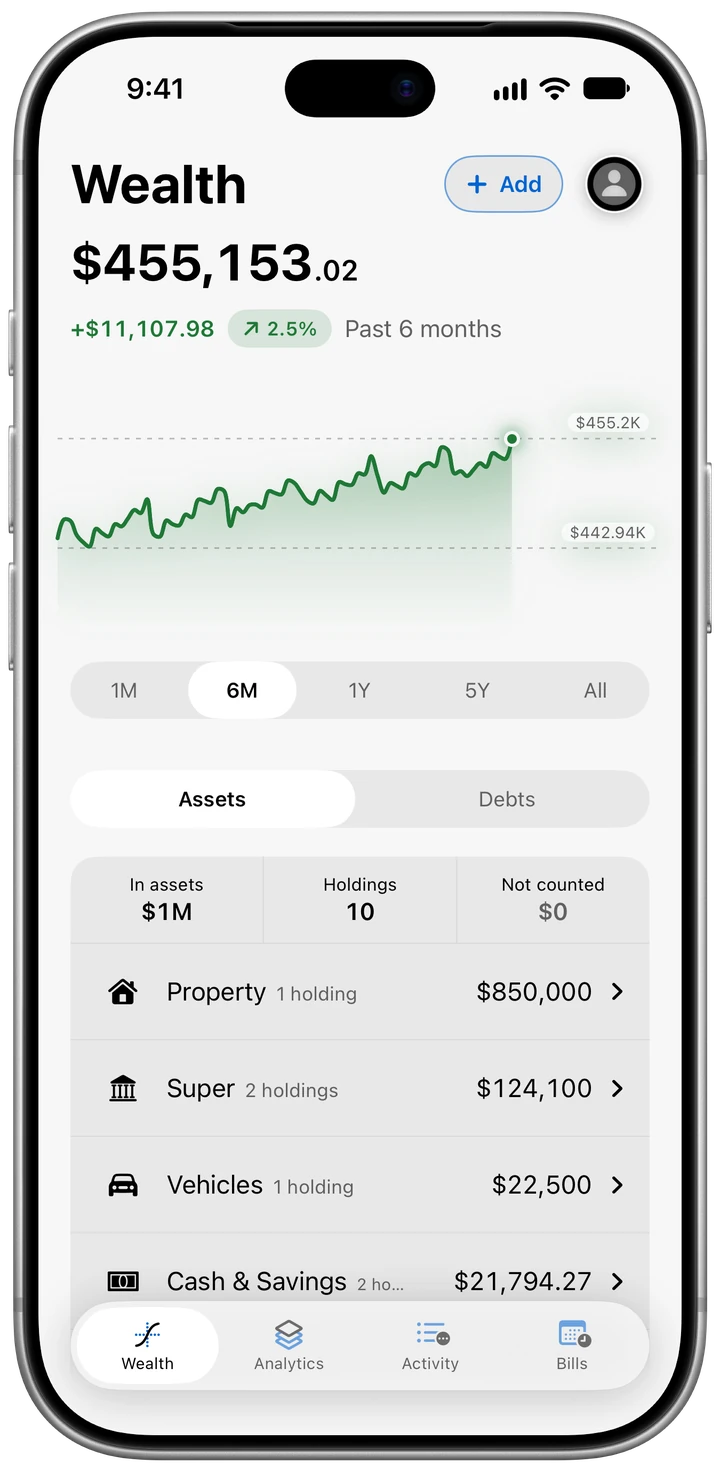
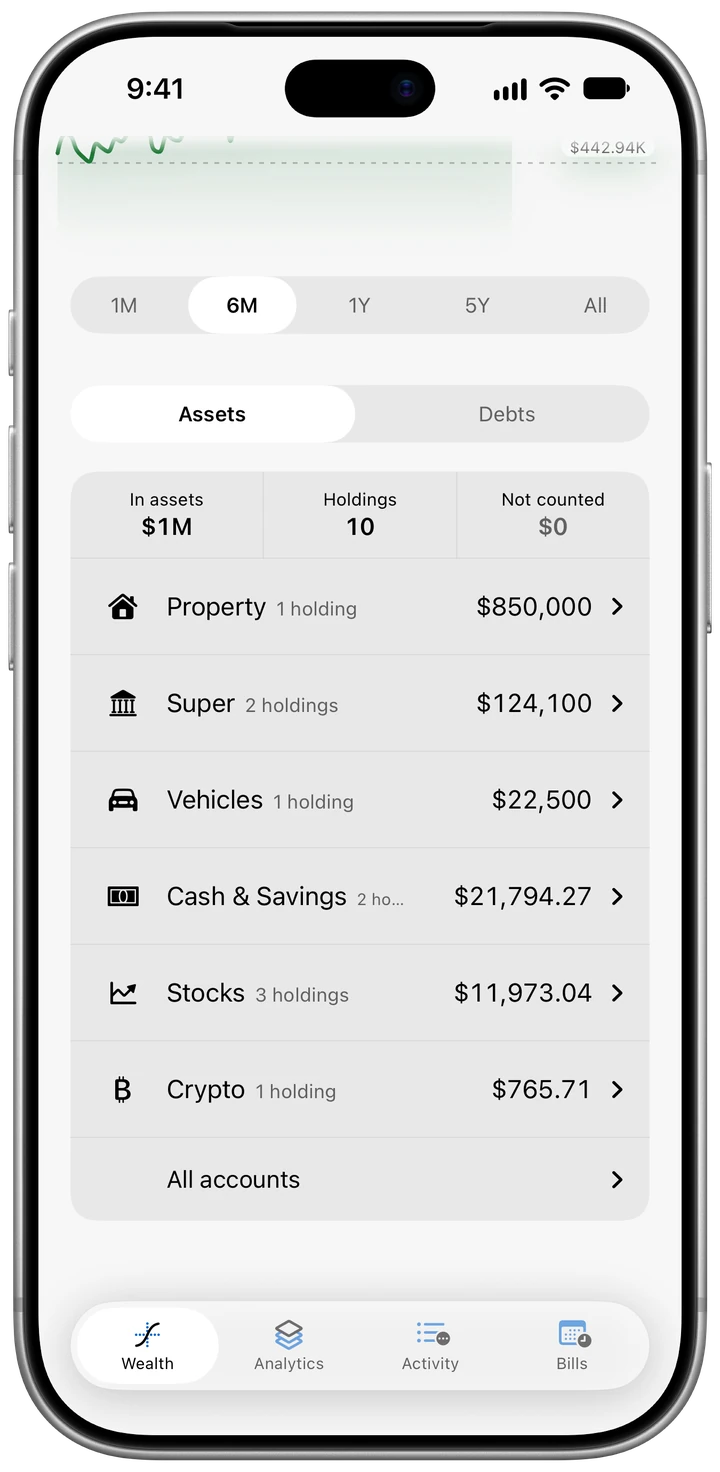
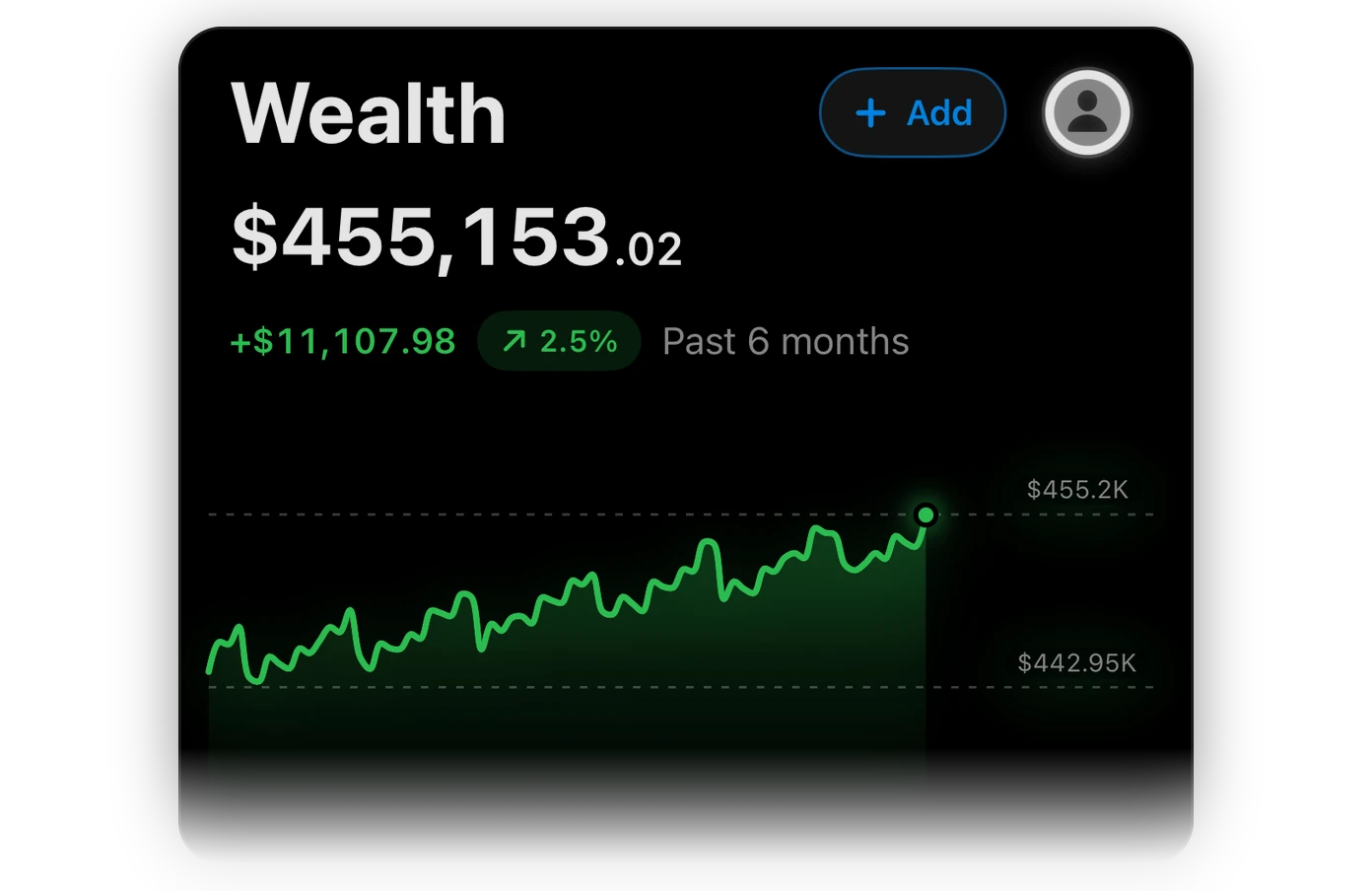
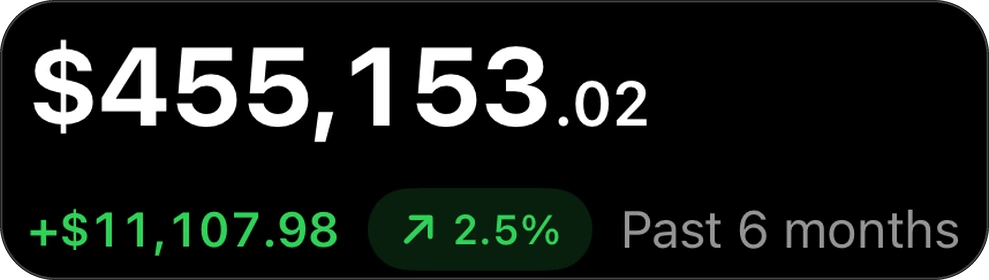
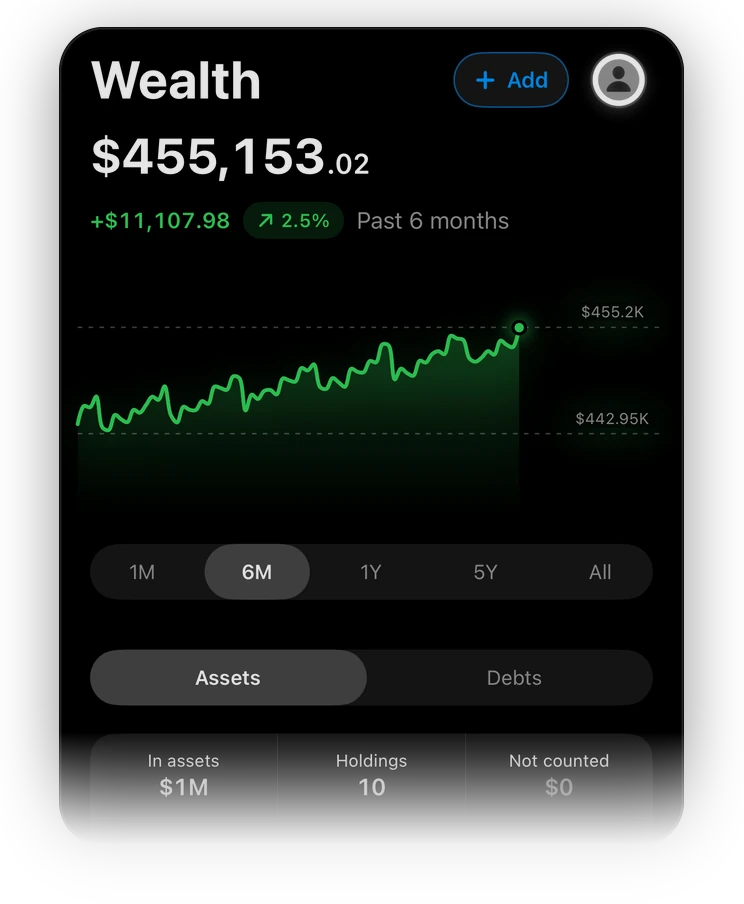
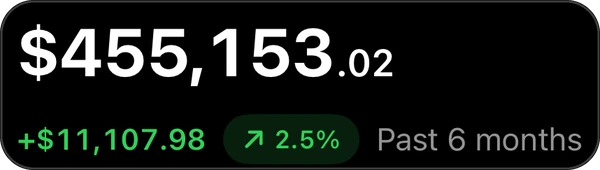
Wealth. The house, the car, super, shares and crypto, less what you owe on them. One number: $455,153.02.
-
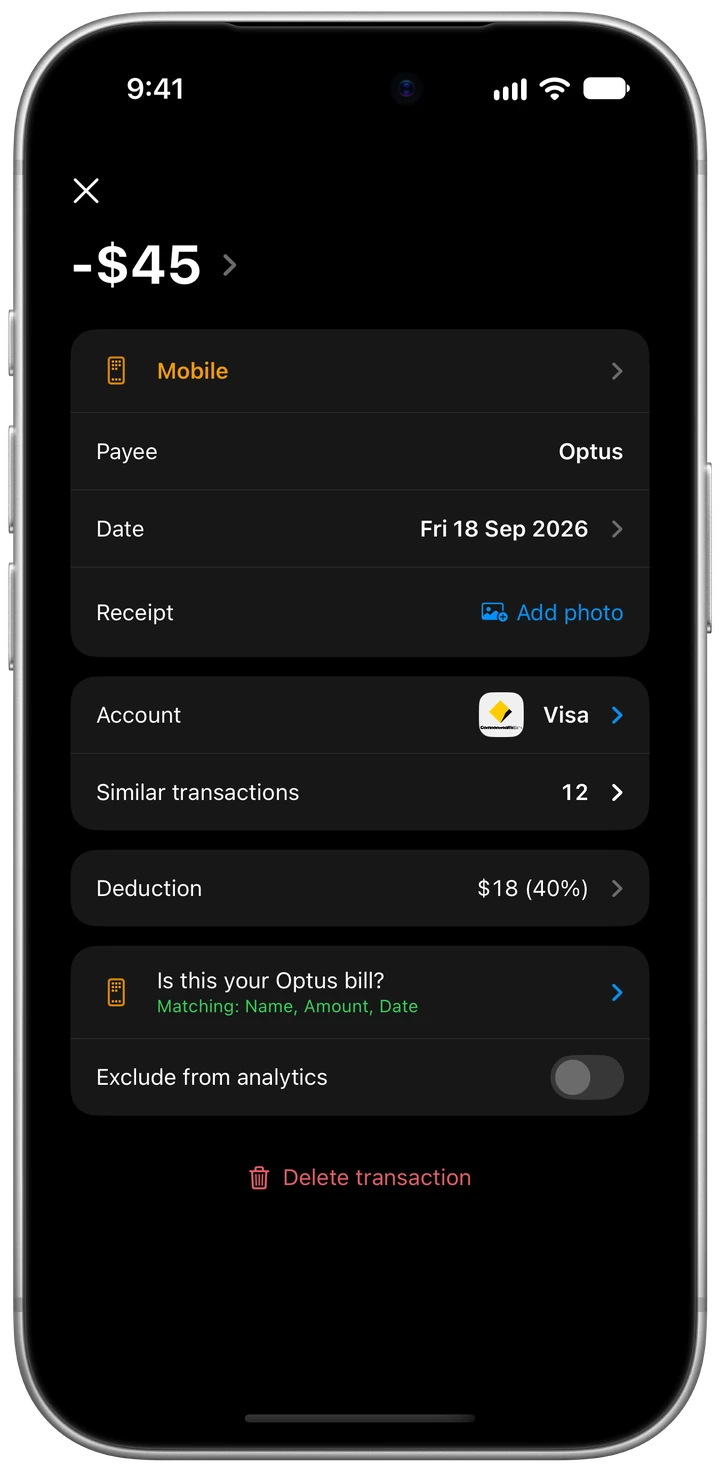
Tax time. Flag a deduction the day you pay it, even when only part of it was for work. By 30 June the list’s already written.
-
Privacy. A passcode every time it opens, your figures on your phone, and no ads or analytics.
-
Smarts. Rules that remember your fixes, receipts that check the maths, and help from a real person when you want one.
Made for Australia. Aussie dollars, dates day first, super next to the house, bills by the fortnight and a tax year that ends on 30 June.
Bank feeds Coming
Your bank, straight in.
Connect your bank, and its accounts turn up in Wealth with their balances while their payments land in Activity, filed like everything else. It’s coming through Fiskil, under the Consumer Data Right.
Everyday, savings, term deposit, credit card and loan accounts. What's shared: accounts, balances and transactions, read only, with a year of history, and only what you agree to.
-
01
Pick your bank.
Tap Connect a bank and choose yours. It all happens in a private window inside Korelda that keeps nothing once it closes: no cookies, no history.
-
02
Prove it’s you, with your bank.
You confirm who you are on your bank’s own page, usually with a one-time code it sends you. Your banking password stays with your bank. Korelda never sees it.
-
03
Choose what’s shared.
Pick the accounts, and see what’s asked for, why and for how long, on Fiskil’s pages, before you agree. It’s read only: nothing on it can move money or make a payment.
-
04
And it’s in.
Your accounts arrive in Wealth with their balances, and their payments land in Activity with proper names and categories, ready for your budget, your bills and tax time.











Look up your bank.
When bank feeds open up, you’ll connect through Fiskil, an accredited data recipient under the Consumer Data Right. These are the banks sharing data under the CDR today, from the government’s register.
- CommBank
- Westpac
- NAB
- ANZ
- ING
- Macquarie Bank
- St.George Bank
- Bankwest
- Bendigo Bank
- Suncorp Bank
- Bank of Queensland
- Up
- UBank
- ANZ Plus
- BankSA
- Bank of Melbourne
- Great Southern Bank
- Newcastle Permanent
- People First Bank
- Teachers Mutual Bank
- Bank Australia
- Beyond Bank Australia
- HSBC
- Virgin Money
- ME Go
- MyState Bank
- IMB Bank
- Greater Bank
- Revolut
- Wise
- Judo Bank
- Rabobank
- Police Bank
- Defence Bank
- Heartland
- AFG Home Loans Alpha
- Alex.Bank
- AMP Bank GO
- Arab Bank Australia
- Aussie Elevate
- Aussie Home Loans
- Australian Military Bank
- Australian Mutual Bank
- Auswide Bank
- Bank First
- Bank of China
- Bank of Sydney
- Bank of us
- BankVic
- bankWAW
- BCU Bank
- BNK Bank
- BOQ Specialist
- Border Bank
- Broken Hill Bank
- Cairns Bank
- Central Murray Bank
- Central West Credit Union
- Coastline Bank
- Coles Credit Cards
- CommBiz
- Community First Credit Union
- Connective Select
- Credit Union SA
- Darling Downs Bank
- DDH Graham
- Dnister
- Easy Street
- Fire Service Credit Union
- Firefighters Mutual Bank
- First Option Bank
- Gateway Bank
- Geelong Bank
- GMCU
- Great Southern Bank Business+
- Health Professionals Bank
- Horizon Bank
- HSBC Wholesale Banking
- Hume Bank
- Kogan Money Credit Cards
- Laboratories Credit Union
- Liberty Financial
- Maitland Mutual
- MoveBank
- My AMP
- MyCard
- Northern Inland Credit Union
- NRMA Home Loans
- Orange Credit Union
- P&N Bank
- PayPal Australia
- Police Credit Union
- Qantas Money Credit Cards
- Qantas Money Home Loans
- QBANK
- Qudos Bank
- Queensland Country Bank
- RACQ Bank
- Regional Australia Bank
- RSL Money
- Solo by MYOB
- Southern Cross Credit Union
- Summerland Bank
- SWSbank
- The Capricornian
- The Mac
- Thriday
- Tiimely Home
- TMCU
- Tyro Banking
- Tyro Payments
- UniBank
- Unity Bank
- Unloan
- Woolworths Team Bank
From the Consumer Data Right register and Fiskil’s list of institutions, 27 September 2026. It can change, and bank feeds aren’t open to everyone yet. Bank names are trade marks of their owners, shown only so you can find yours: no bank endorses or partners with Korelda.
The fine print, up front.
-
Stop whenever you like.
Disconnect in Korelda, or end it in your bank’s app or internet banking. Korelda then deletes what your bank sent, from your phone and from your account.
-
It stays in Australia.
What your bank shares passes through Korelda’s server in Sydney and stays in Australia, apart from your own iPhone and its backups.
-
Never sold.
Korelda uses it for one thing: showing you your own money. It’s never sold, given to anyone, used for marketing or passed to an AI.
-
Who’s Fiskil?
Fiskil Pty Ltd is accredited under the Consumer Data Right: look it up at cdr.gov.au as ADRBNK000246. Korelda isn’t accredited itself, so your bank shares with Fiskil, which passes it on.
Coming Bank feeds aren’t open to everyone yet. Until they are, bring your statements in.
See how importing works




























Import and tidy
Statements, tidied.
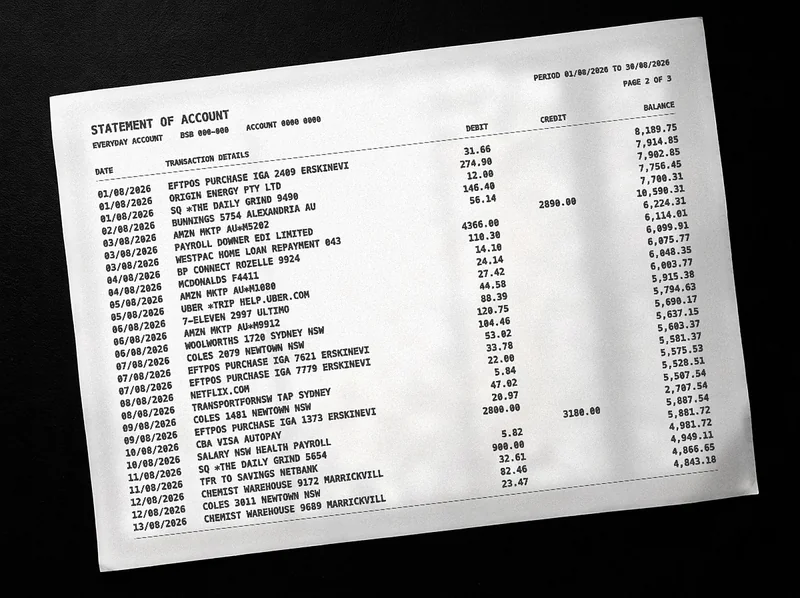
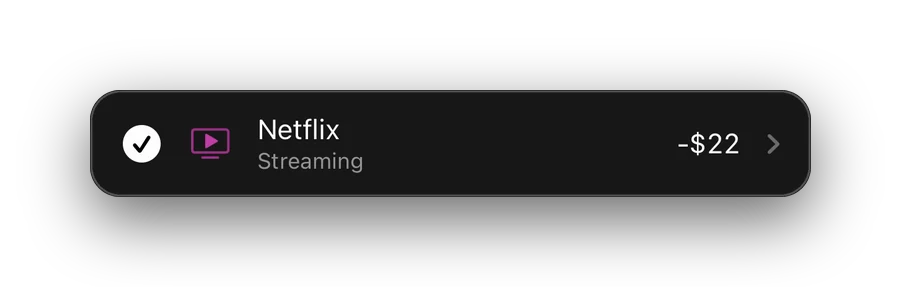
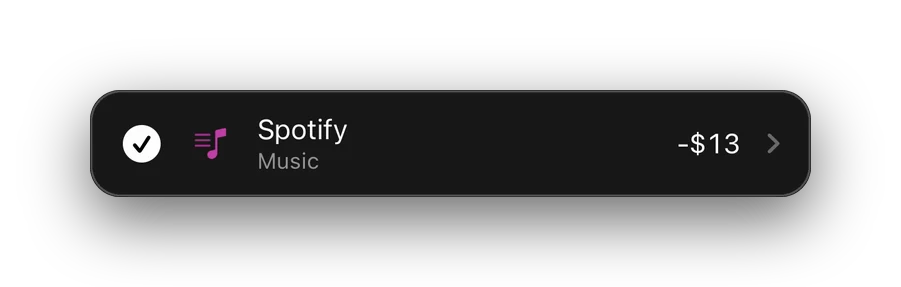
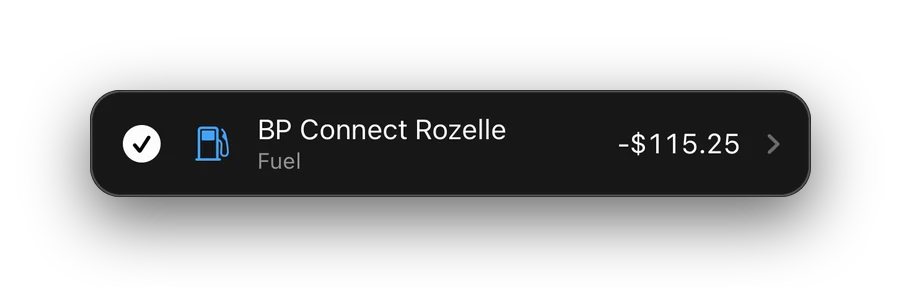
Banks write statements for their own systems, all capitals and codes. Import the CSV or PDF and Korelda turns each line into something you can read, with a proper name and a category. The tidying happens on your phone, unless you turn on AI tidying.
Reads CSV and PDF statements from most Australian banks
Every PDF Checked against the statement’s own totals
Bring your history with you.
-
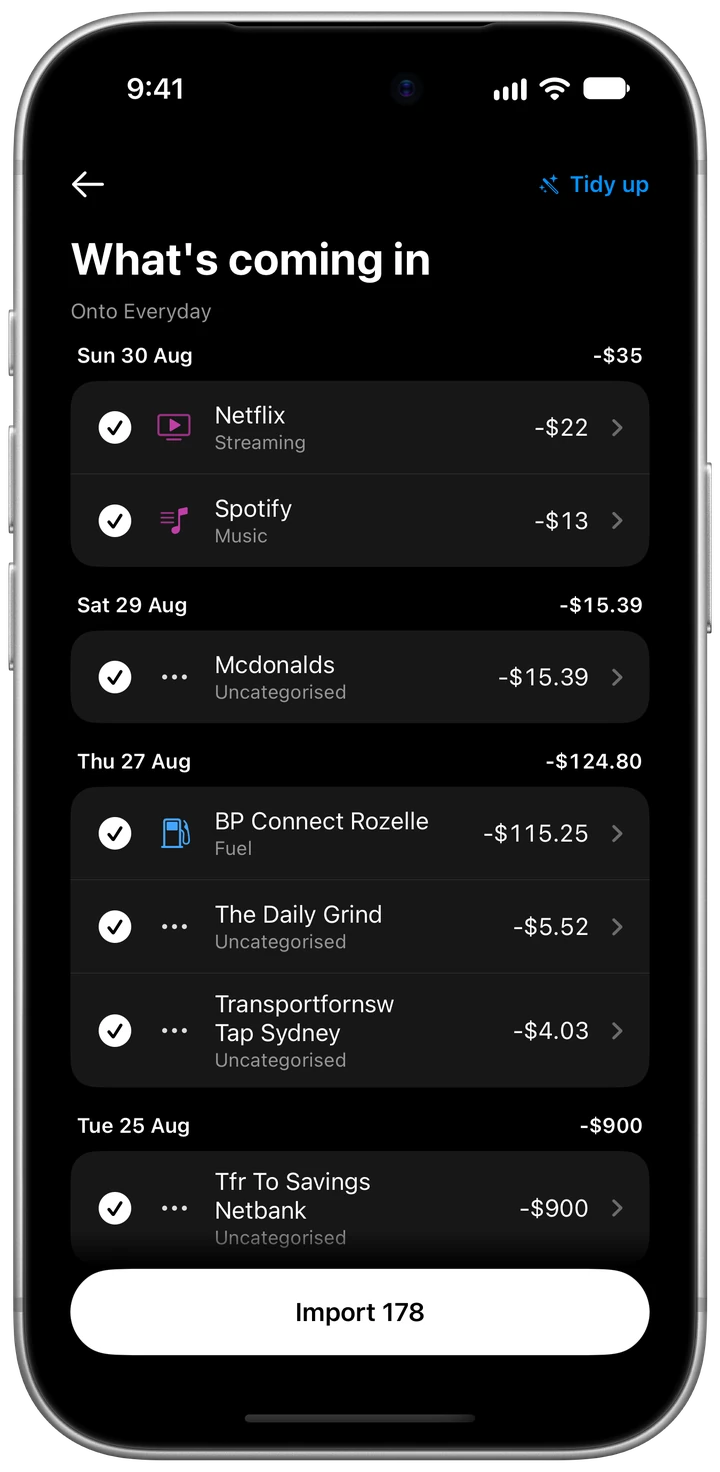
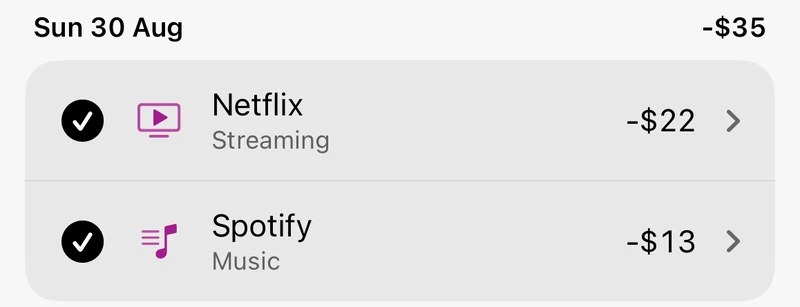
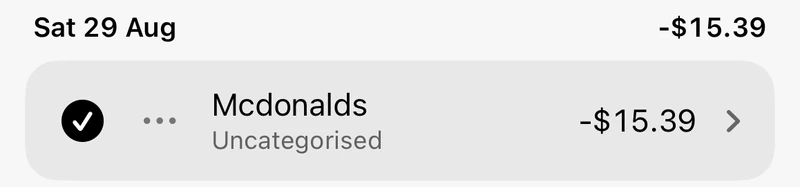
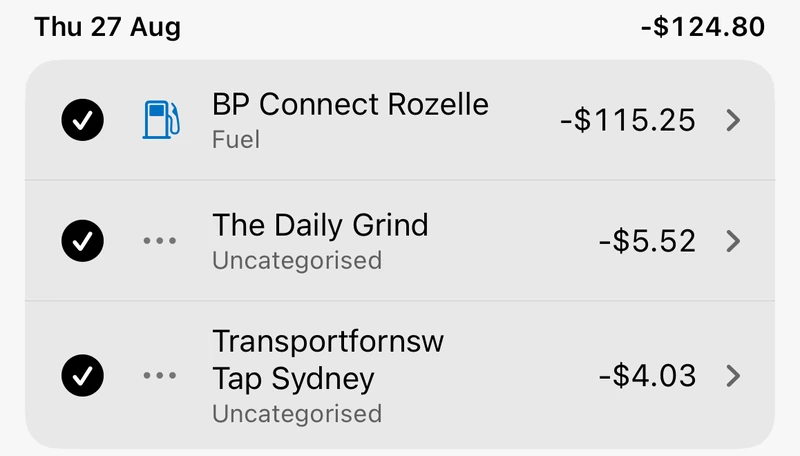
NETFLIX.COM-22.00SPOTIFY P9442-13.00MCDONALDS F4411-15.39BP CONNECT ROZELLE 2560-115.25SQ *THE DAILY GRIND 9490-5.52TRANSPORTFORNSW TAP SYDNEY-4.03
Statements in. Import a CSV or PDF from most Australian banks. A PDF only comes in if its rows add up to its own totals.
-
Rows you can read. Each line gets a proper name, a category and its amount.
-

Your first day. A setup guide takes you through four steps: the account you spend from, what’s spendable, your first import and your bills.
-

Coming from a spreadsheet? Bring your history in as a CSV and leave the formulas and the copy-paste behind.

Analytics
Where’d it all go?
Money in, money out and what’s left over, from this week back to a whole financial year. Every chart of your own figures is free, at any range.
Six months at a glance
- Money in
- $52,520
- Money out
- $43,319.17
- Saving rate
- 18%
- Top spend
- Mortgage, $22,104
-
Search the lot
Find a payment by payee, category, account or anything you wrote in its note.
-
Filter it down
Just income, just spending or just transfers, for any account and any financial year.
-
Similar payments
Tap a payment to see how often you’ve paid that payee, the average and the total.
-
Leave one out
Keep a one-off out of your charts without deleting it from your records.
Budget
Savings go first.
Spend what’s left.
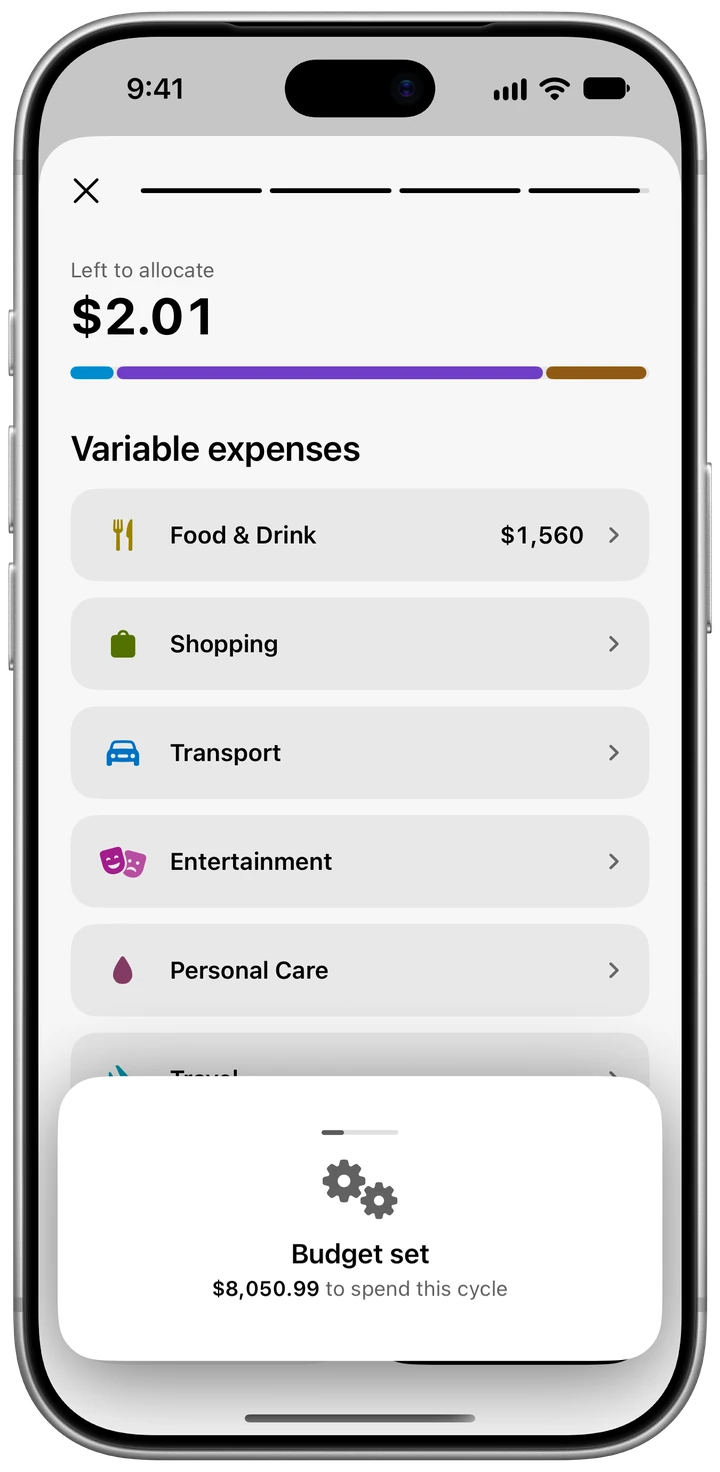
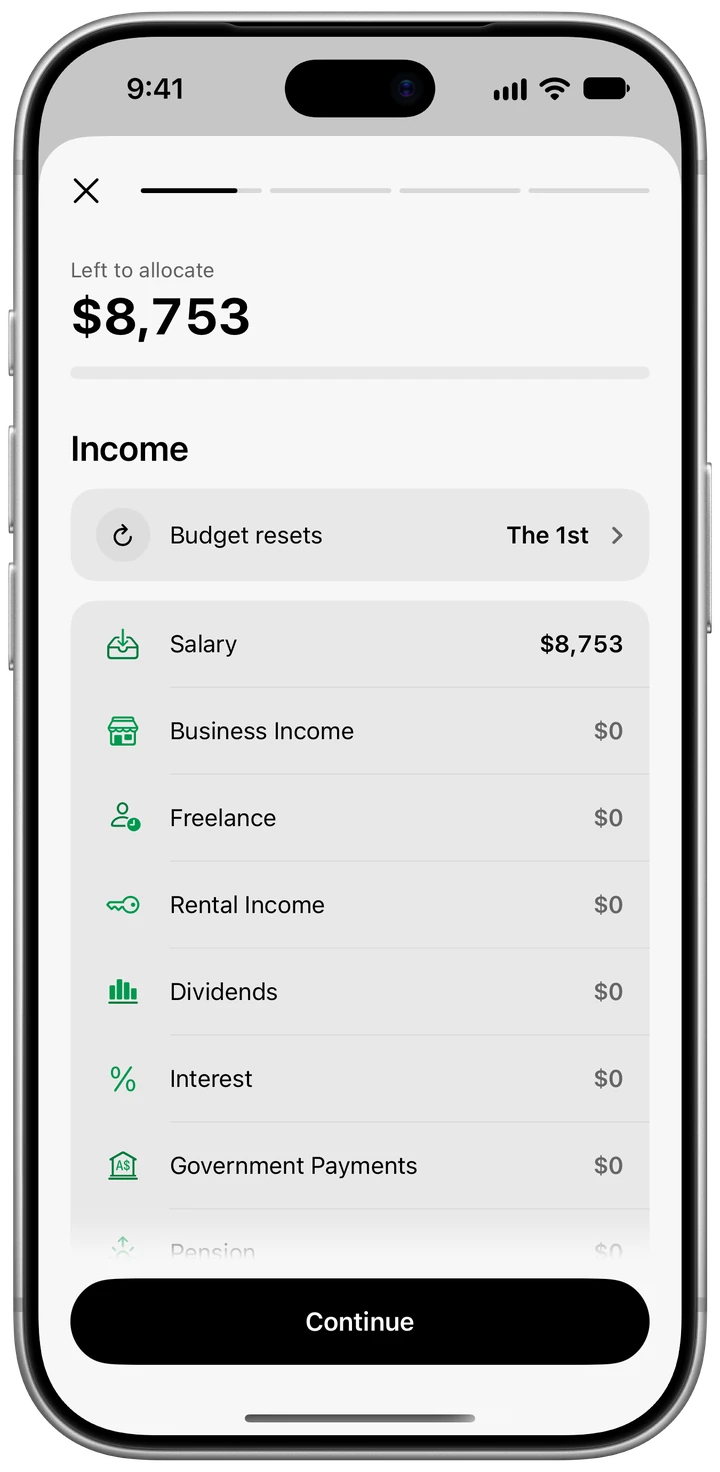
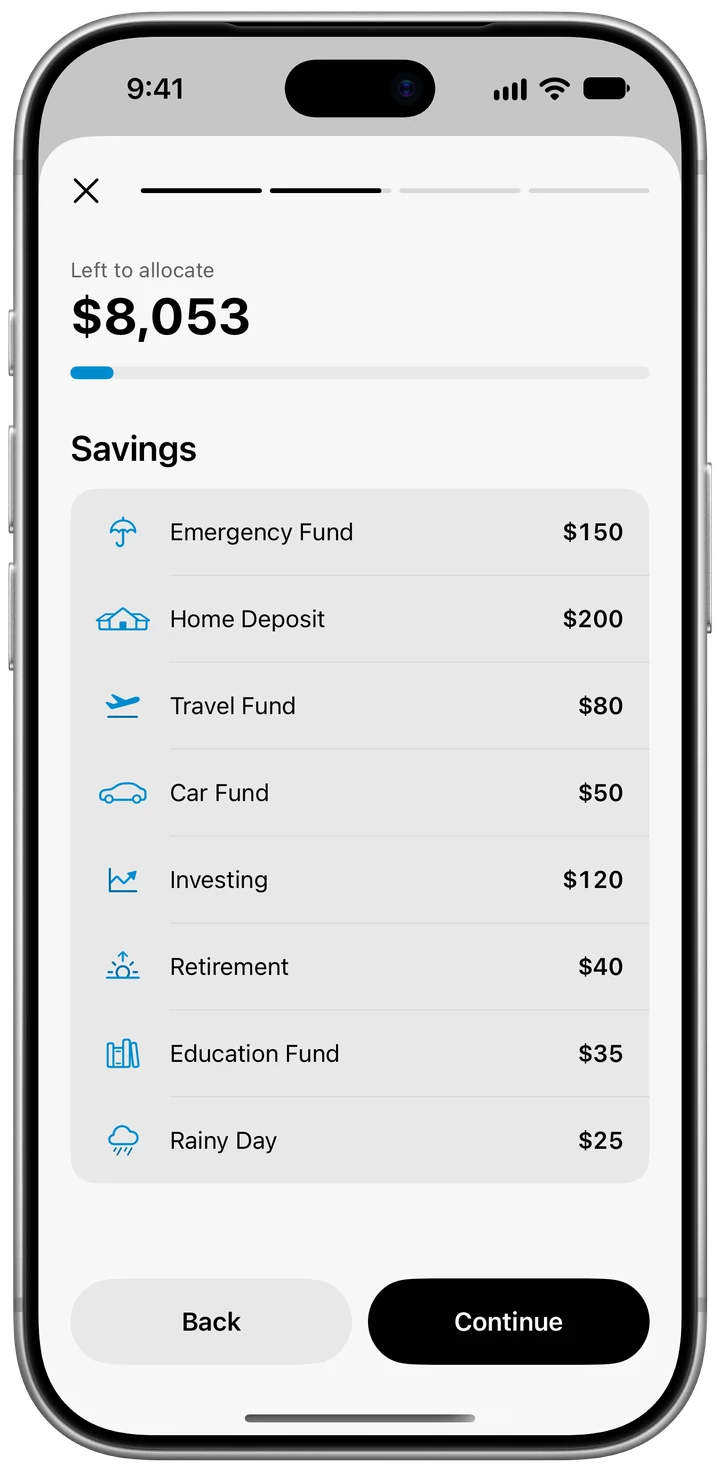
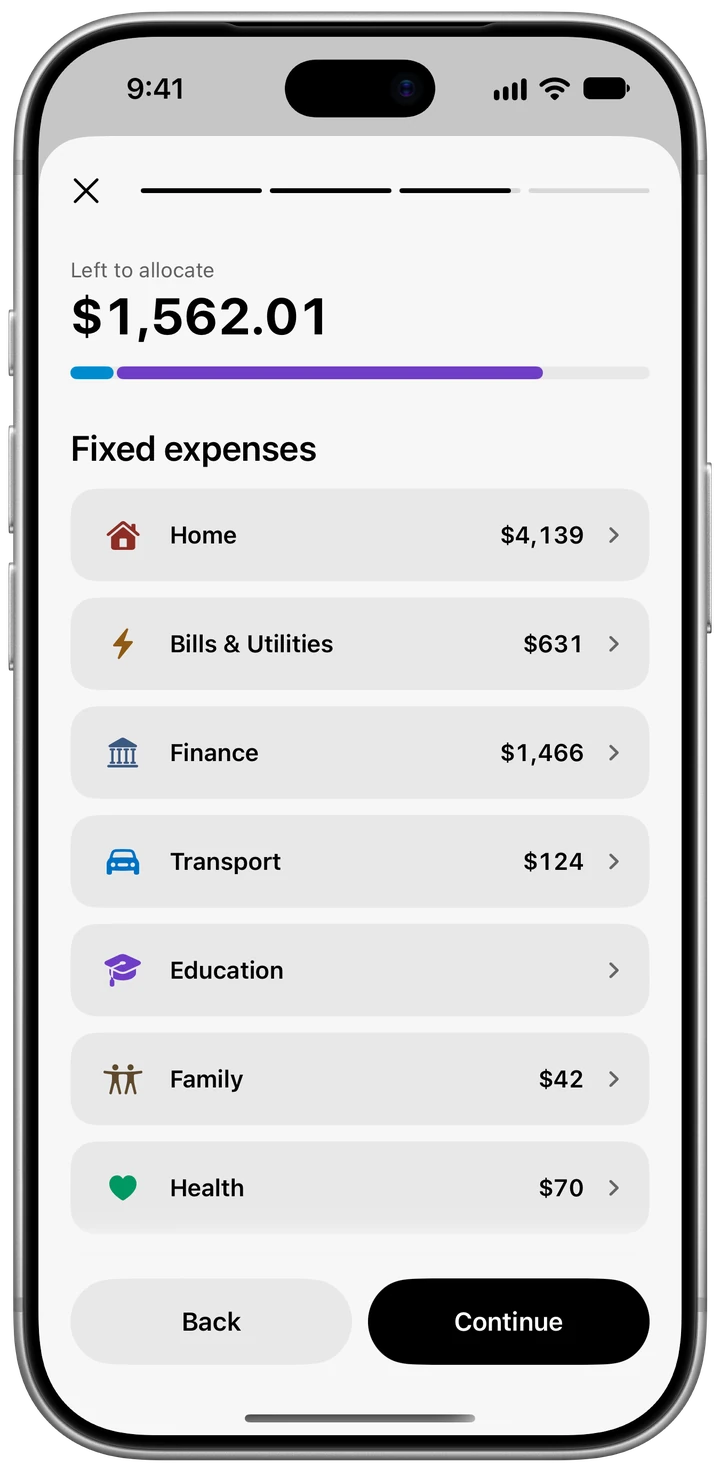
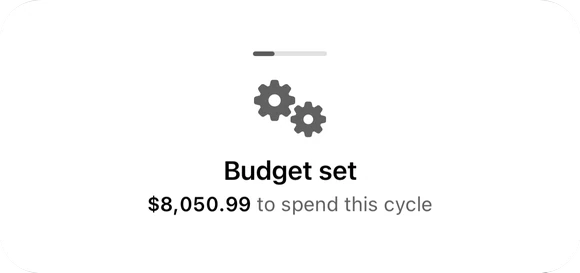
Budget set
$8,050.99
to spend this cycle
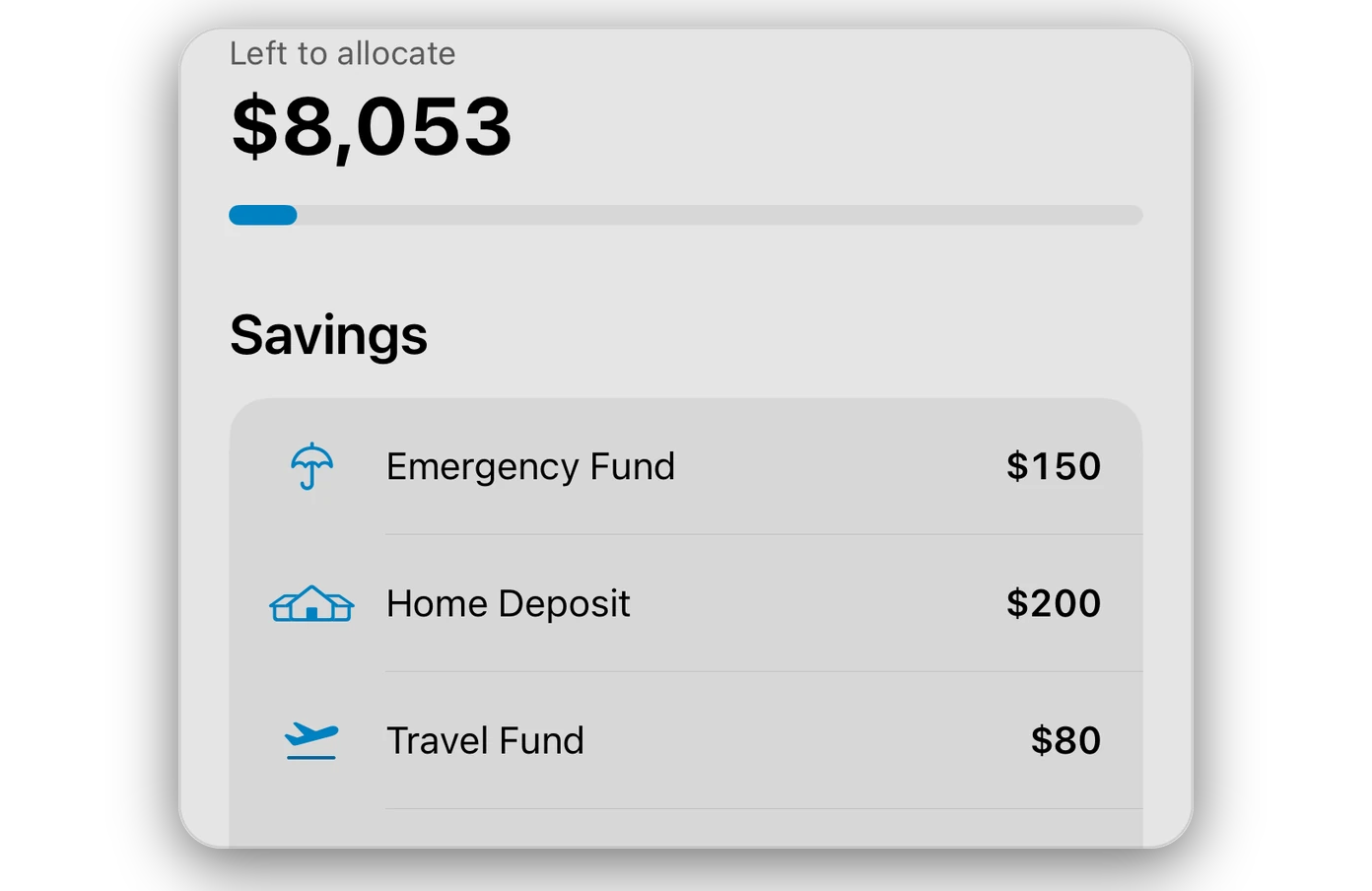
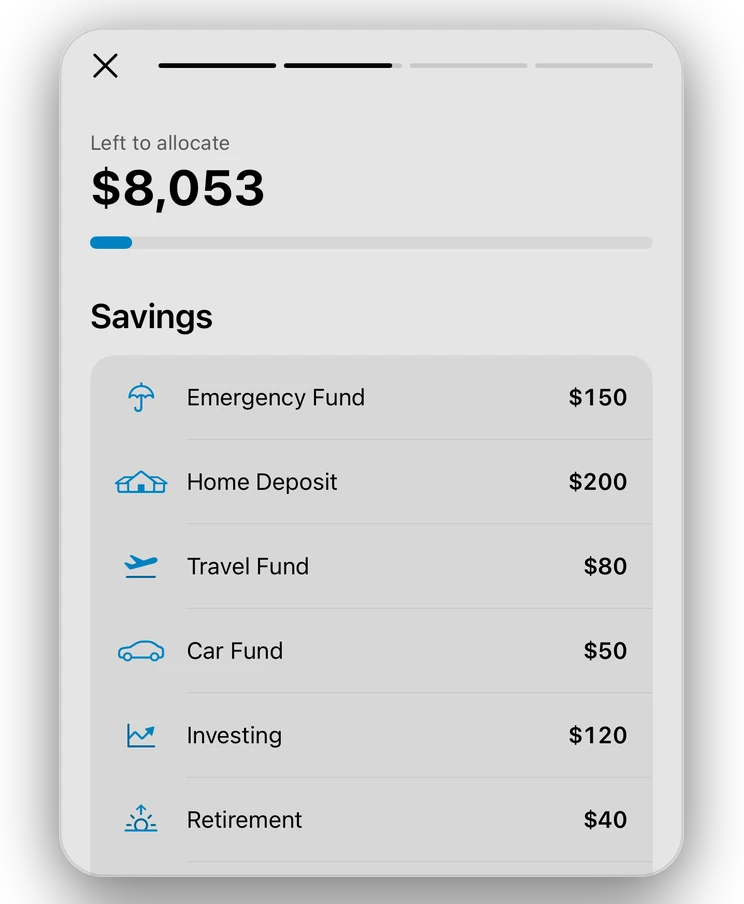
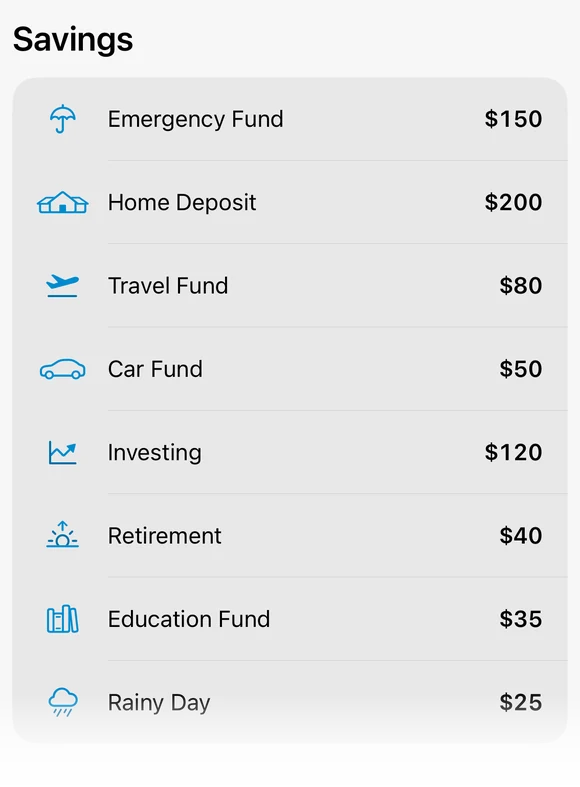
Savings first
$700
Eight goals, from a home deposit to a rainy day fund
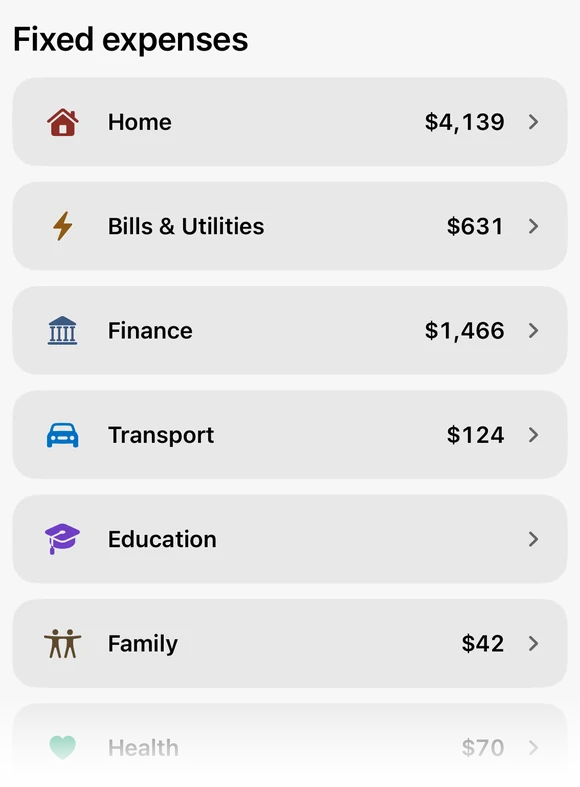
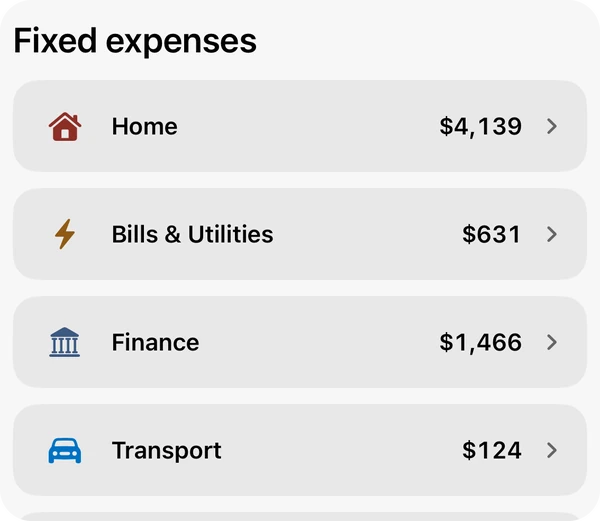
Fixed expenses
$6,490.99
The same every month, from your bills: the home loan to Netflix
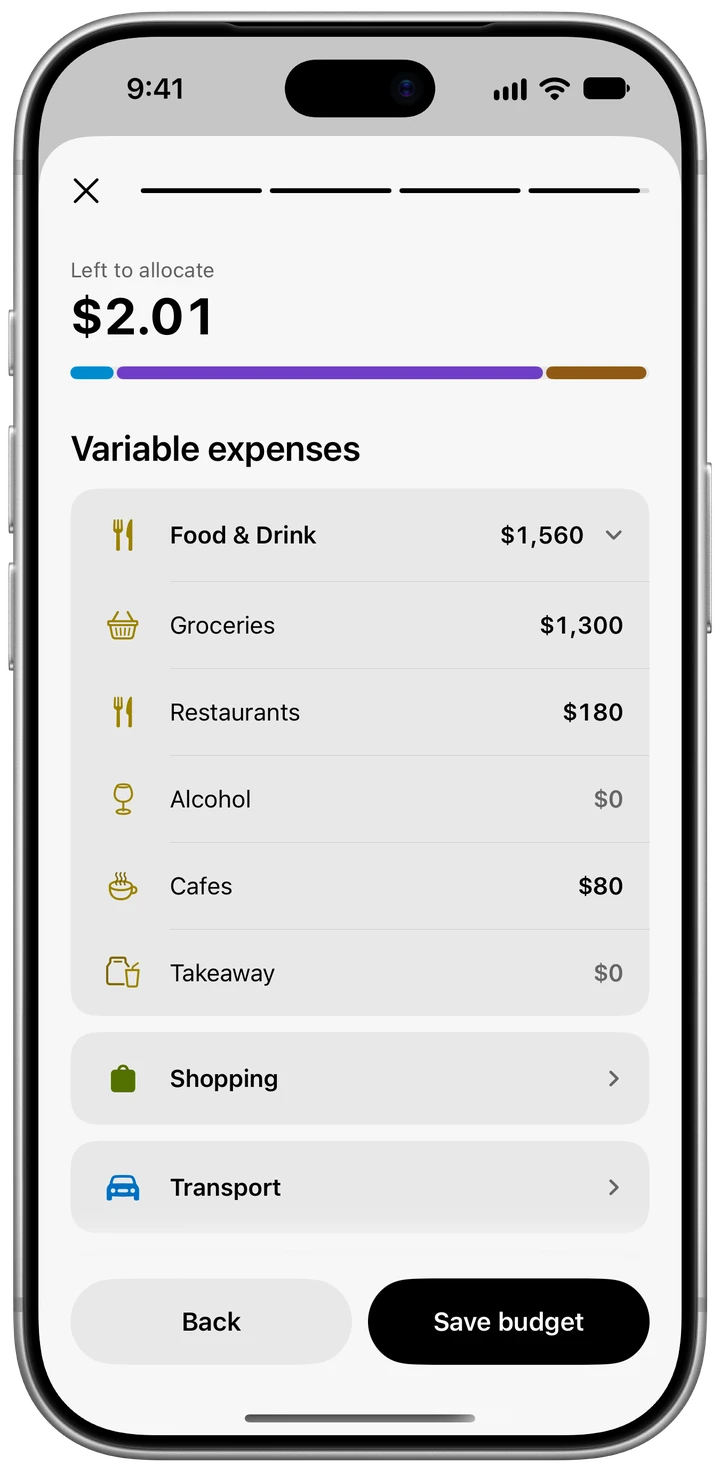
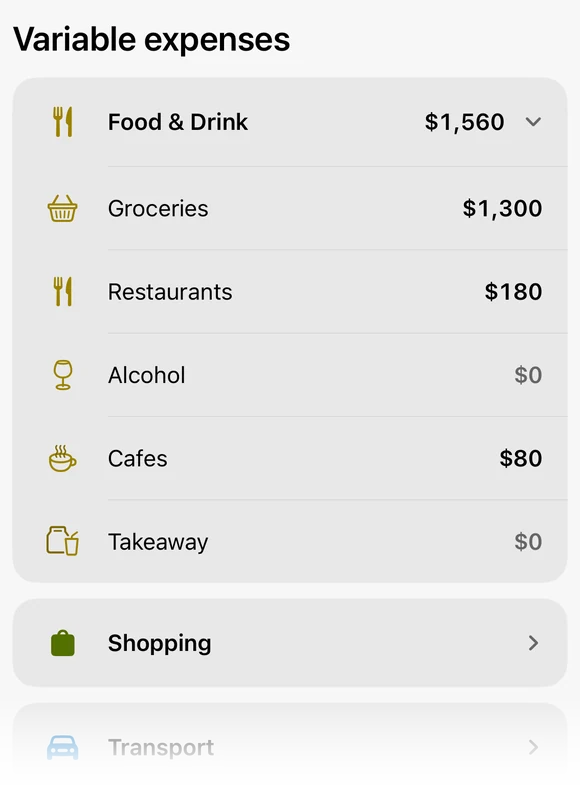
Variable expenses
$1,560
What changes month to month: groceries, restaurants and cafes
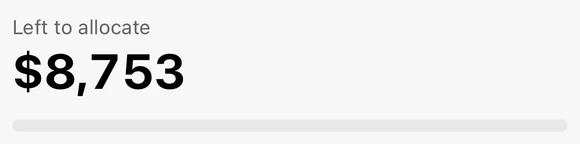
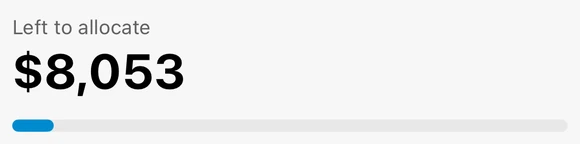
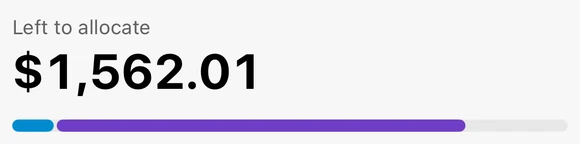
Savings come off the top, your bills fill in the fixed expenses, and the variable ones get what’s left: groceries, eating out, whatever changes month to month. Every category can have its own budget, and the plan starts again on the day you choose.
Three steps. One number.
-
Pay yourself first.
Choose what goes into savings each month, and the budget takes it out before anything else.


-
Set it up once.
Savings, then fixed expenses, then variable ones. Every month after that works the same way.
-
Fixed expenses from bills.
The bills you already track, like car insurance, Sydney Water and council rates, turn into your fixed expenses.
-
Left to spend.
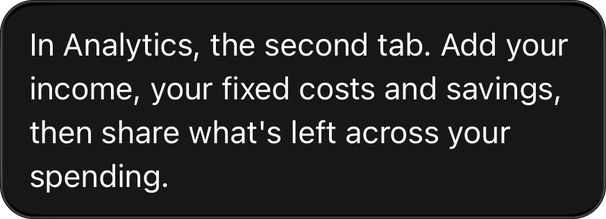
One number at the top of Analytics. In September that’s $1,256.58 left of an $8,050.99 budget.


Pay the bill.
It ticks itself off.
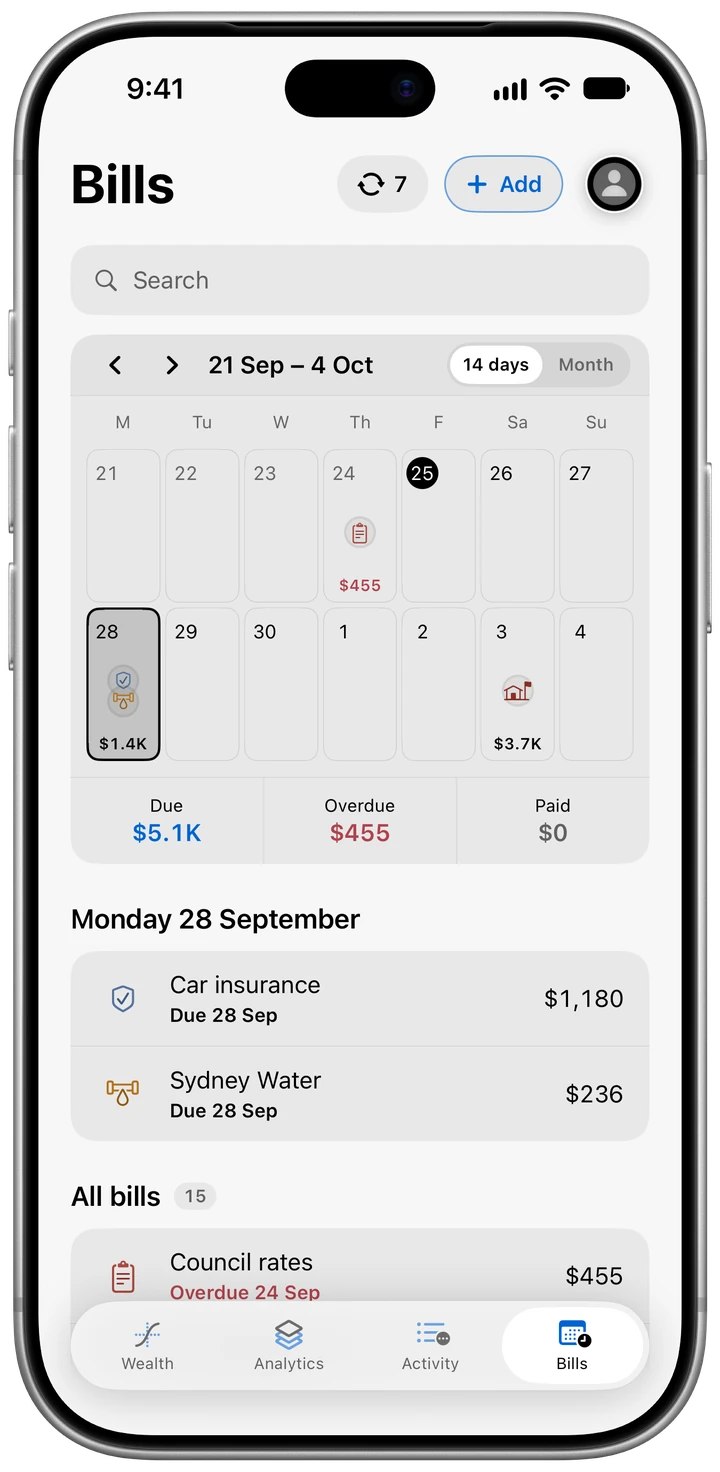
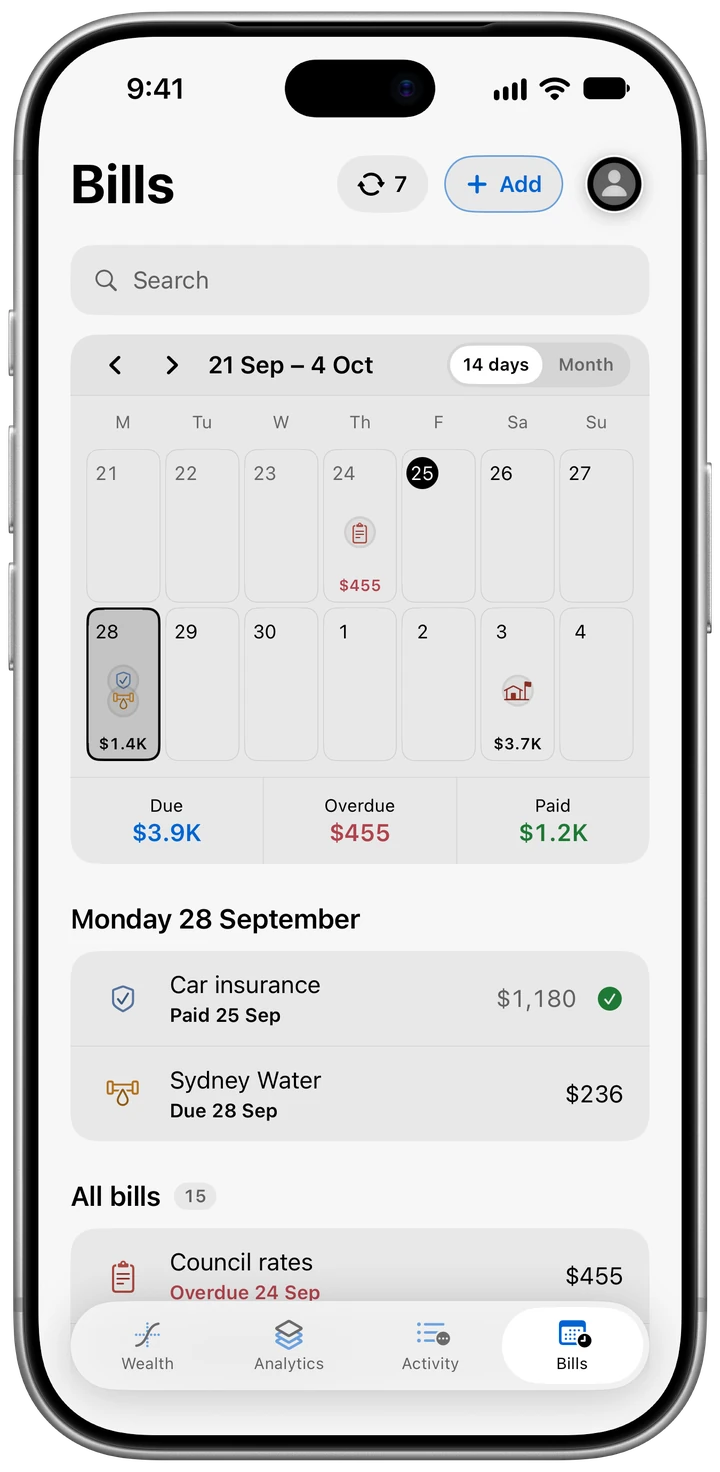
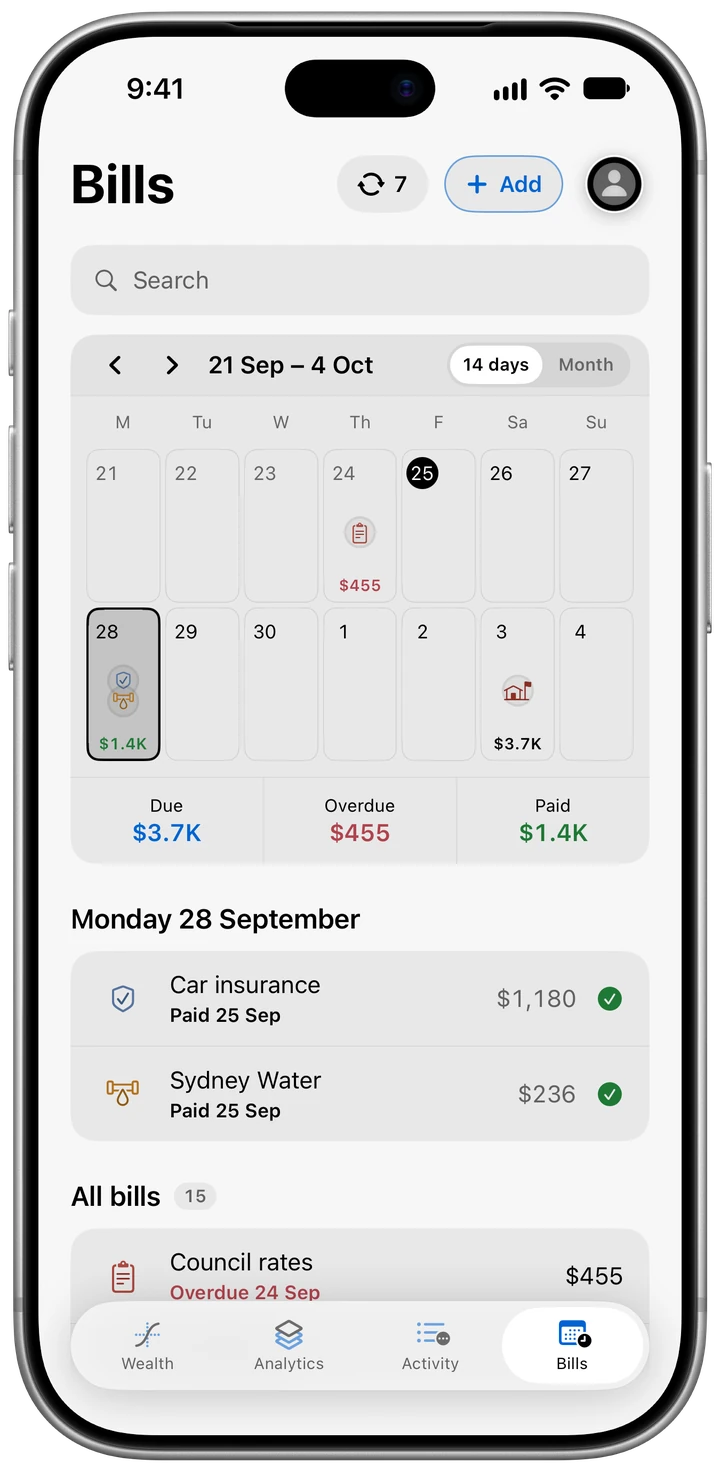
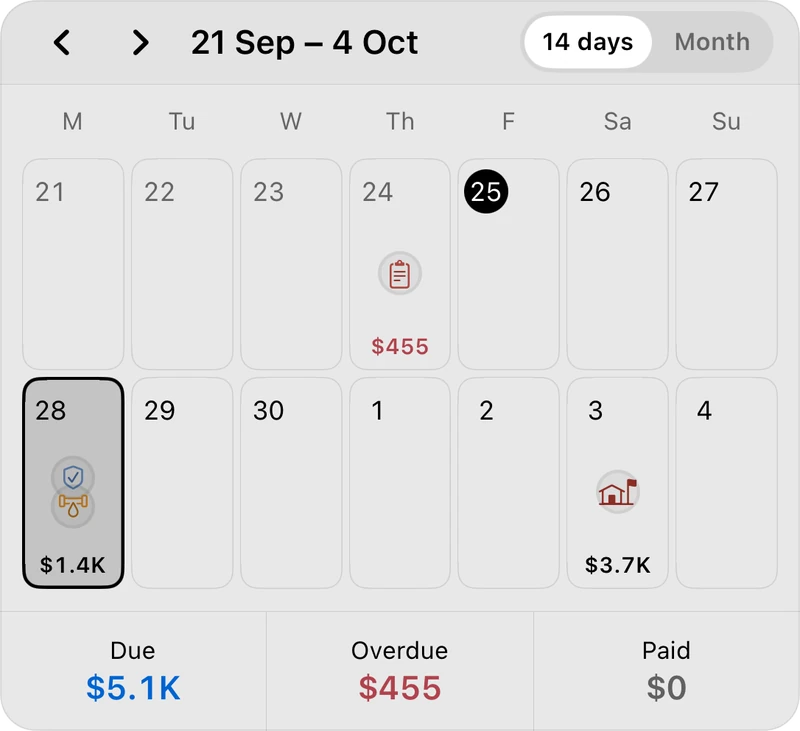
Paid this fortnight $1,416 ticked off as each payment lands
Bills ticked by hand 0









A calendar of 14 days showing what’s due, overdue and paid
The fortnight shows what’s coming out of your account and when, and anything overdue shows up in red. Import a statement and every bill with a matching payment ticks itself off. Switch to the month if you want the bigger picture.
Bills that find
themselves.
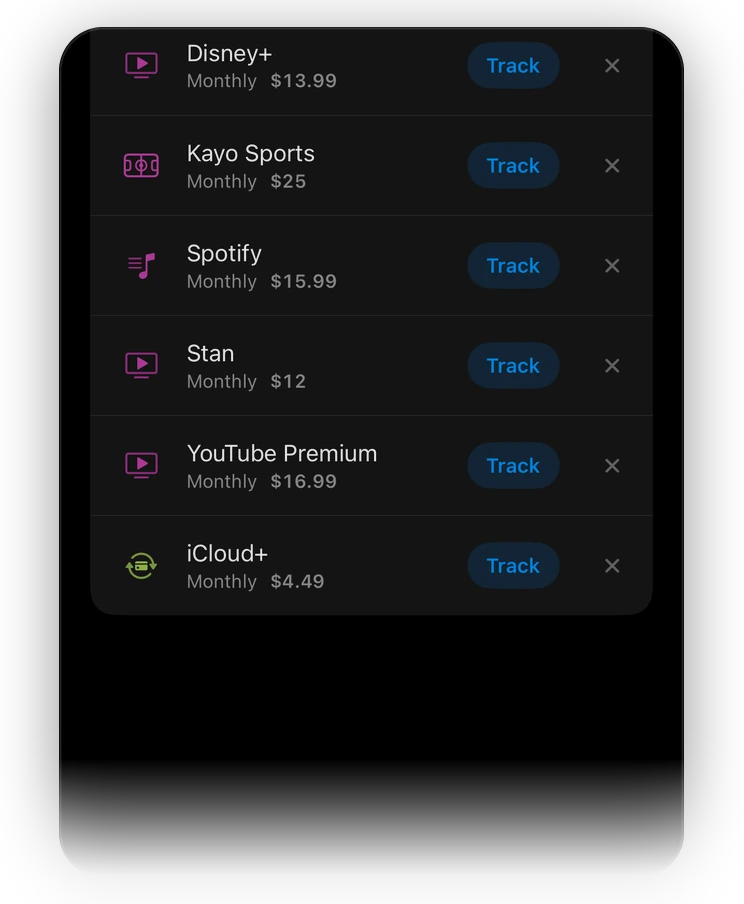
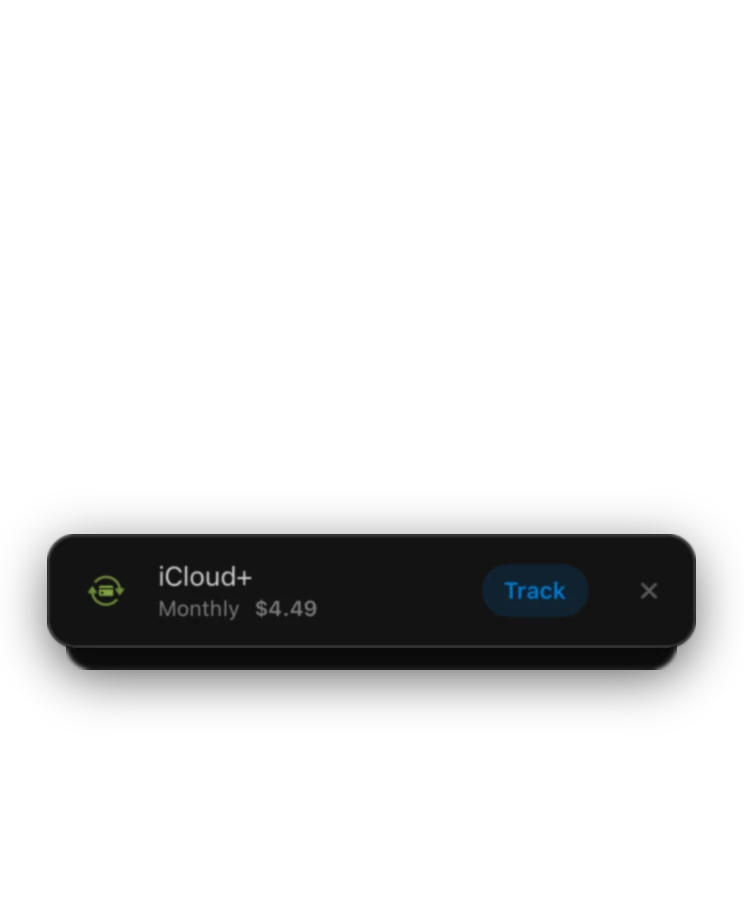
Korelda looks for payments that repeat in your statements and offers to track each one as a bill. Say yes once and it ticks itself off from then on.
A nudge 2 days before each one’s due, at 9am, with the name and amount. Nothing if it’s already paid.


Wealth
Everything you own.
One number.
What you own






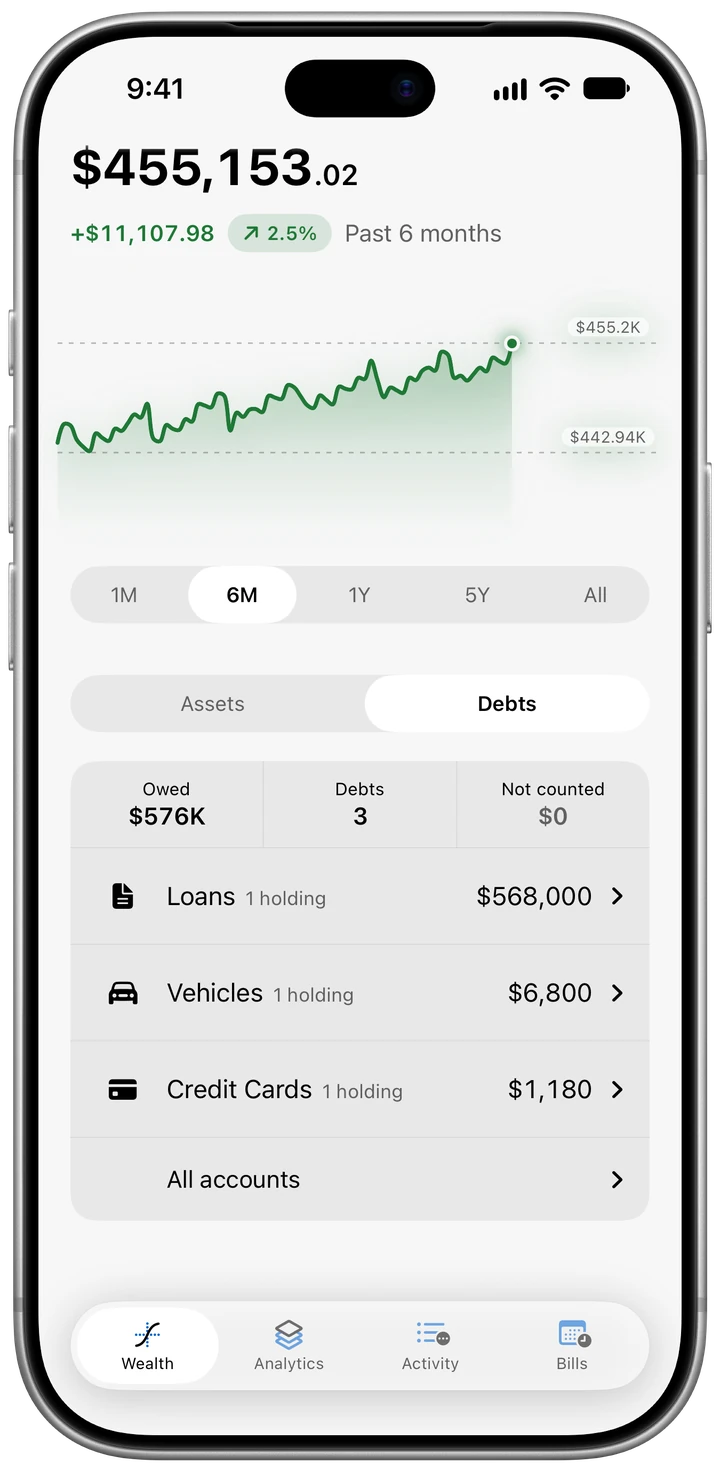
What you owe



Net worth$455,153.02what you own, less what you owe
Property
A starting figure from ABS median prices for your area, the loan against it and your equity. Type your own value any time.
Vehicles
A car, ute or motorbike, valued on a depreciation curve for its kind and age, with where it’ll be in three years.
Super
Any of 28 funds, SMSFs included, sitting in your net worth next to the house.
Shares and ETFs
Australian and global shares and funds at the latest price, in Aussie dollars, updated about every 15 minutes while you use it.
Crypto
82 coins, priced live in Aussie dollars, in parts of a coin if that’s what you hold.
Loans and cards
When a loan clears and what it’ll cost in interest, and how much of a card you’ve used.
Swipe a holding to leave it out of your net worth without deleting it. Drag across the line to see what you were worth on any day, from a month back to the very start. What Plus adds
Tax time
No more shoebox.
Flag a payment as a deduction the day you make it and it sits under the right heading all year, from self-education to donations. Scan the receipt and it stays with the payment. By the time 30 June rolls around, the list is already written and added up.
Flag it
as you go.
Flag a payment the day you pay it, even when only part of it was for work, like 40% of your phone bill.
An itemised
tax report. Plus
Download it as a summary, a PDF report, a spreadsheet or just the receipts.
Car, rental
and capital gains. Plus
A car logbook, a page for each rental, the gains on anything you sell, and a payee claimed at the same share all year.
An example year
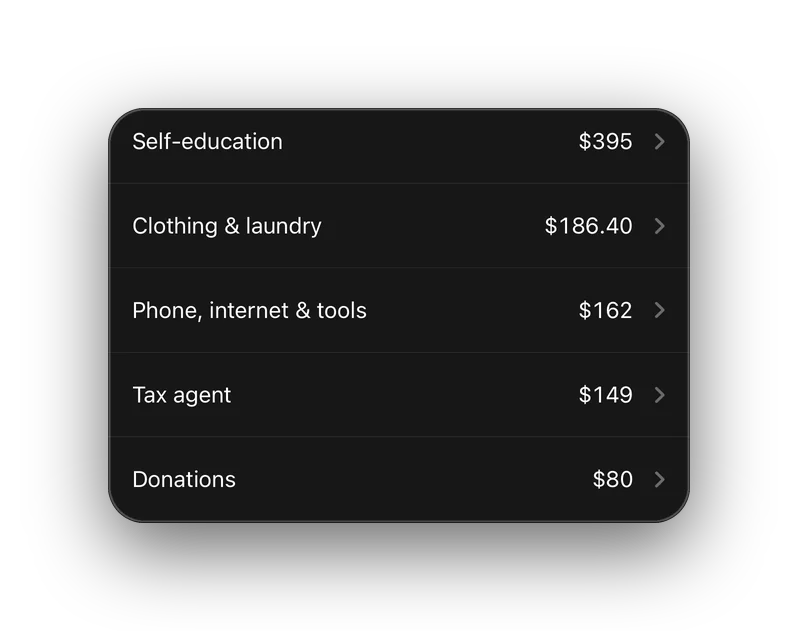
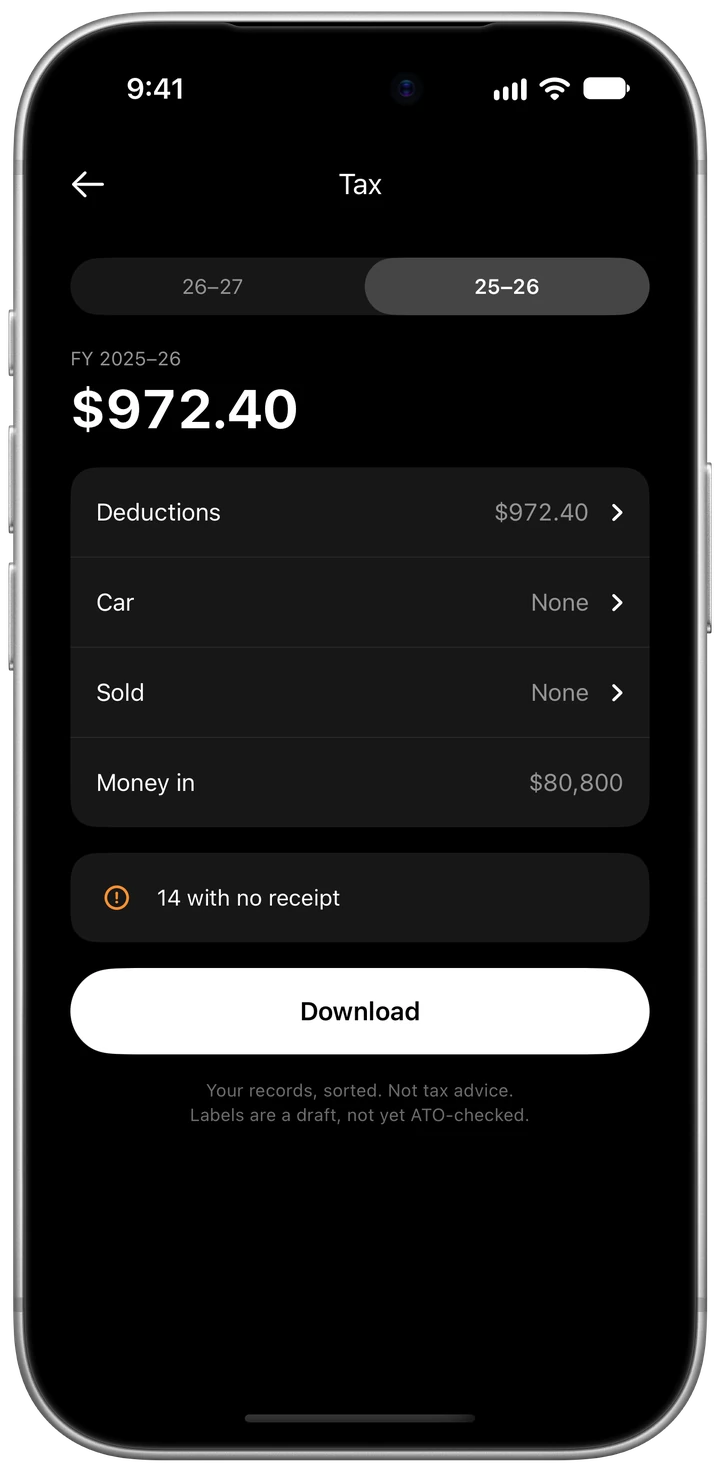
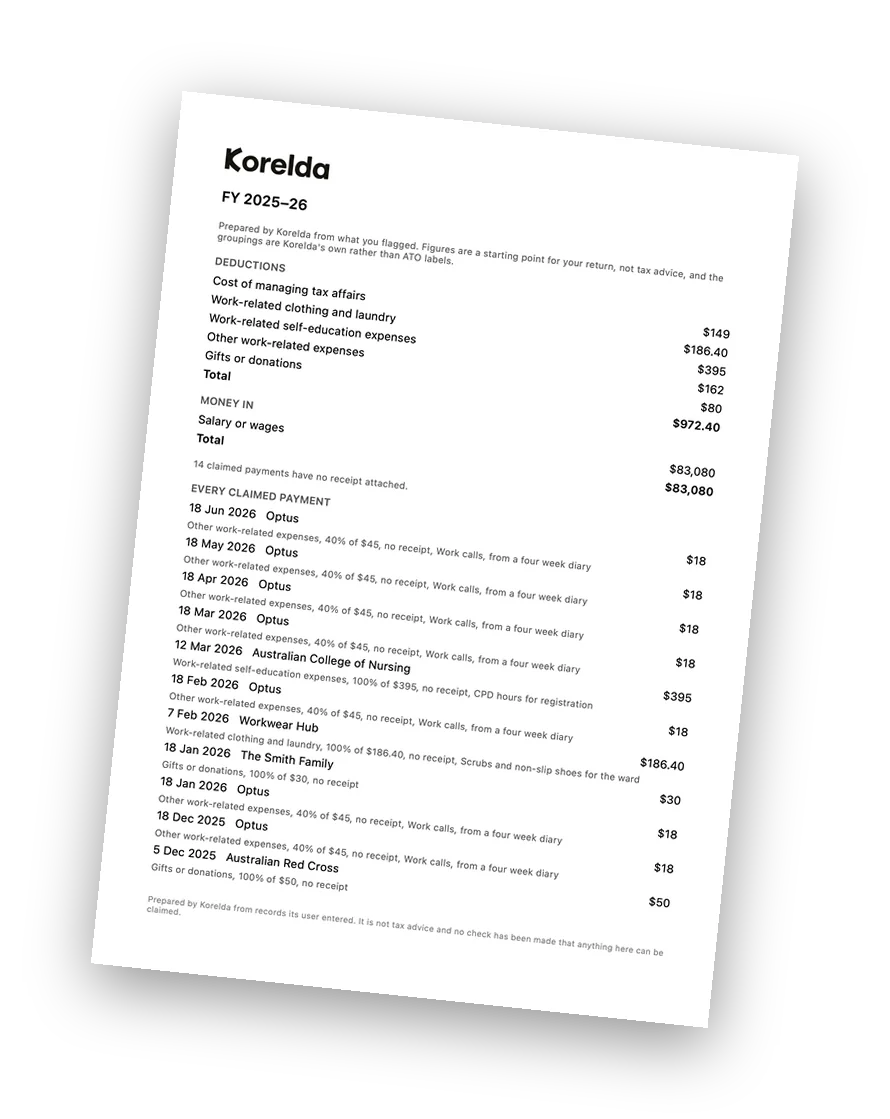
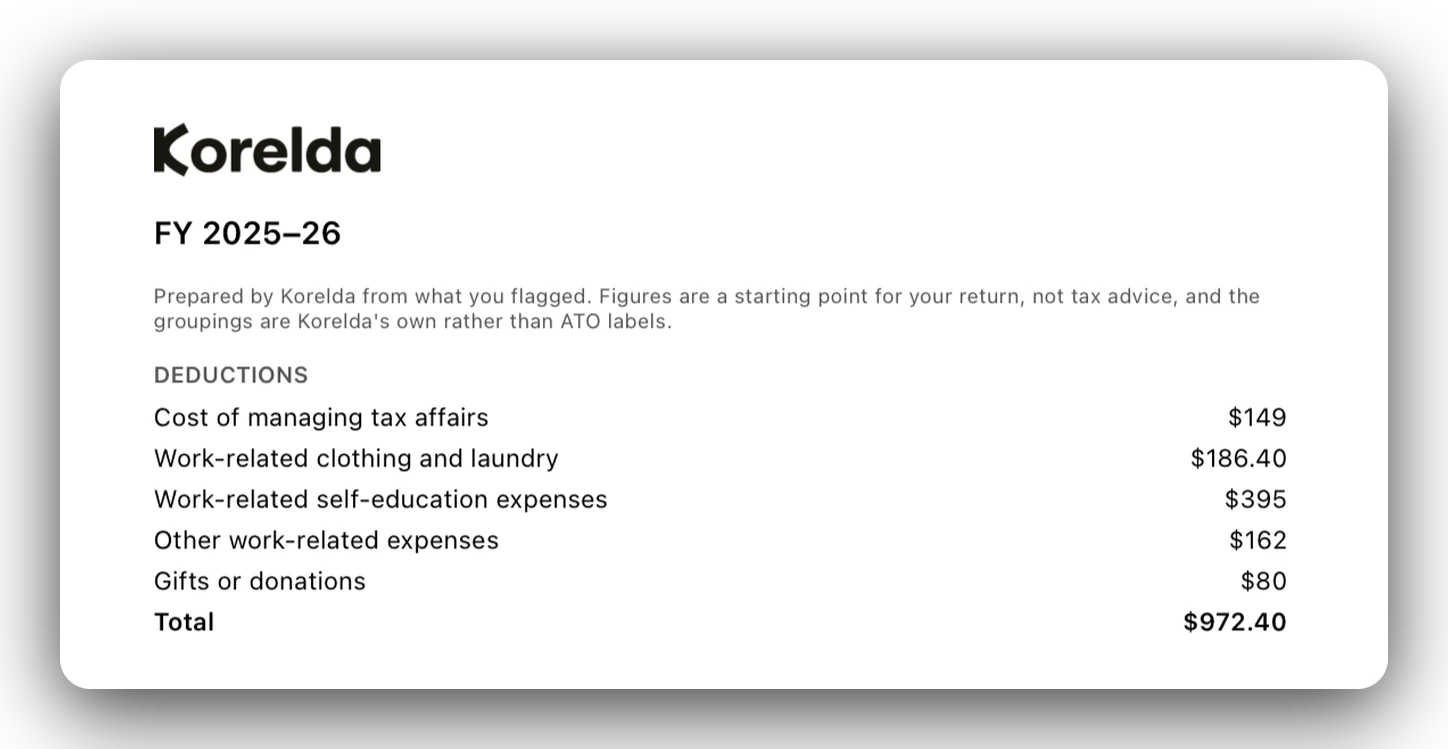
- Flagged in an example year $972.40 across five headings
- Self-education $395 the biggest heading that year
- Downloads 4 summary, PDF report, spreadsheet and receipts
- Built around 30 June the end of the Australian tax year
Korelda puts your own records in order. The tax report and its exports are general information, not tax advice, and every export says so. What you can claim depends on your circumstances, so check with a registered tax agent or the ATO. The figures here are from an example year.
Private by design.
Your money, your business.
-
Kept on your phone.
On the free plan your figures are stored on your iPhone and nowhere else: every account, holding and transaction, and your whole budget. The Privacy Policy lists the few things that do leave the phone.
-
In Sydney, with Plus.
Korelda Plus keeps a copy in your account on servers in Sydney, encrypted on the way and while it’s stored, and locked so only your account can read it. Delete your account and that copy’s erased with it.

-
No ads, no analytics.
There are no ads in Korelda, and nothing in it tracks what you do.
-
What AI sees.
AI tidying stays off until you turn it on, and even then it only gets payee text. No AI ever sees your balances, your amounts or your accounts. What it does see
-
A passcode every time.
Korelda asks for your passcode every time it opens, and Face ID can stand in once you turn it on. Lending someone your phone doesn’t mean lending them your finances.
No passwords.
Sign in with Apple, Google or a code sent to your email, so there’s no password to leak.
Delete means gone.
Delete your account and it’s wiped from our servers, this phone and any other phone you use it on.
Gets smarter as you go.
AI tidying only if you ask.
AI tidying is optional, and it starts switched off.
Rules, receipts and tags do their bit on your phone.
-
AI tidying.
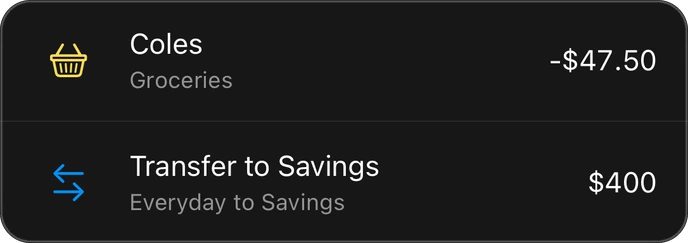
Turn it on and cryptic payee lines come back as plain names, each filed under one of Korelda’s categories. TRANSPORTFORNSW TAP SYD becomes Transport for NSW, under Public Transport.
AMZN MKTP AU*M5202-47.85

COLES 2079 NEWTOWN NSW-47.50

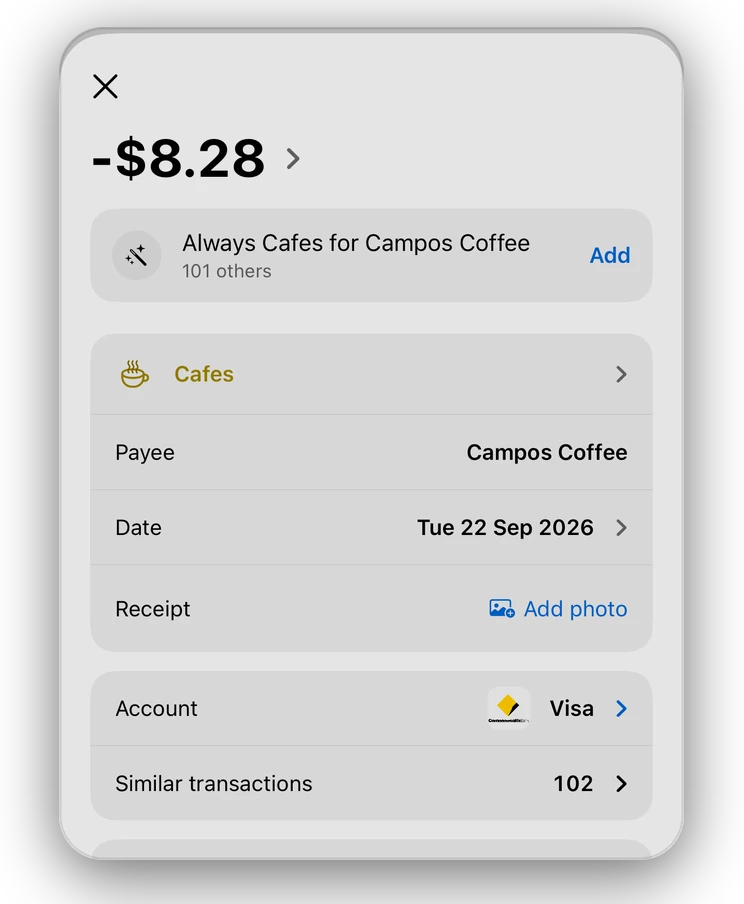
SQ *CAMPOS COFFEE 4417-8.28

-
Off until you say so.
Nothing’s sent until you say yes. Then it’s the payee text and Korelda’s list of categories, sent to a model run by Anthropic, and never an amount, a date or your name.
-
Rules that stick.
Move a payment to a different category and Korelda offers to remember it. Say yes and the next one from that payee lands in the same spot.

-
Receipts, kept.
Scan one, snap one or pick a PDF. It’s straightened up and kept with the payment, on your phone.
-
Receipts that check the maths.
Korelda reads the total off a scanned receipt and checks it against the payment. If they don’t match, it shows you both.
-
Tags. Plus
A rule can add your own tags on top of the category, like work or client coffee.
-
Talk to us.
Open Talk to us in Settings and ask away. Claude, an AI made by Anthropic, answers first. It reads your messages, never your figures, and a real person’s there whenever you’d rather talk to one. Or email support@korelda.com.



-
The little things.
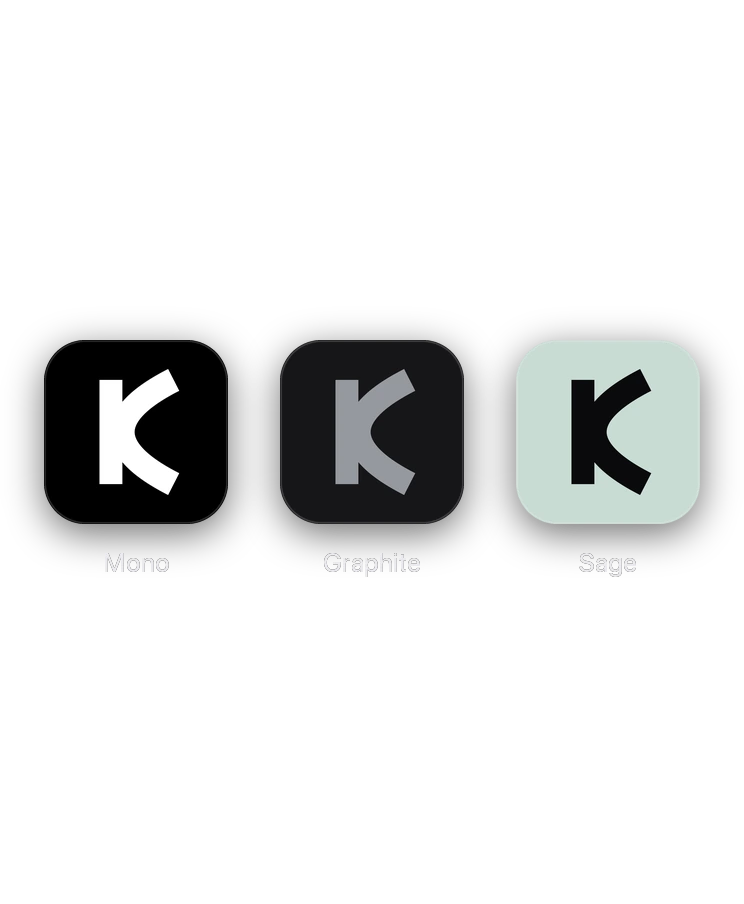
Light, dark or match your phone. An app icon to suit your Home Screen, and three with Plus. A long press to rename a payee. And your data out as a CSV whenever you want it.
Free or Plus?
Your call.
The free plan covers every account, holding and transaction, and it stays free. Plus lifts the limits and adds tax time, a backup and a few extras, and new subscribers get 7 days free.
 Free
Free
A$0
for every account, holding and transaction
Flag deductions all year. No ads, analytics or tracking on any plan.
A$6.67
a month, billed yearly at A$79.99
That’s A$39.89 a year less than paying monthly. 7 days free for new subscribers. Cancel in the Settings app.
Or A$9.99 a month, billed monthly.
Prices are in Australian dollars. Payment is charged to your Apple Account when your 7 free days end, or when you confirm if you’ve already had them. Plus renews automatically for the same term and price unless you cancel at least 24 hours before the term ends. Cancel in the Settings app on your iPhone, under your name, then Subscriptions. The free plan stays free. Terms of Use
| Free |
 |
|
|---|---|---|
| Getting it in | ||
| Import CSV and PDF statements | ||
| Names and categories tidied on your phone | ||
| AI tidying, when you turn it on | One tidy | Every import |
| Planning and paying | ||
| The whole budget, every category | ||
| Bills that tick themselves off | 2 bills | Every bill |
| Repeating payments it finds | The first 2 | All of them |
| Bill reminders | ||
| Filing rules | 5 rules | As many as you like |
| Tags, set by rules | ||
| Charts and wealth | ||
| Every chart of your own figures, at any range | ||
| Net worth, with every kind of asset and debt | ||
| Live prices for shares and crypto | ||
| A holding’s price history past a month | ||
| Korelda’s fresh estimate for your place | Type your own | |
| Tax time | ||
| Flag a deduction, with the work share | ||
| A payee claimed at the same share all year | ||
| Deductions, rental, car logbook and sales, a page each | The totals | |
| Download it: summary, PDF report, spreadsheet, receipts | ||
| Keeping it safe | ||
| Passcode lock, and Face ID if you like | ||
| Receipts, scanned and kept on your phone | ||
| A backup in Sydney, encrypted | ||
| No ads, analytics or tracking | ||
| Extras | ||
| Talk to us, and your data out as a CSV | ||
| App icons | Mono | Mono, Graphite and Sage |
Got a question?
Does Korelda connect to my bank?
Not yet, but bank feeds are coming, through Fiskil under the Consumer Data Right. For now, download a CSV or PDF statement from your bank and import it. Korelda reads statements from most Australian banks and tidies the payee names on your phone. You can also add transactions by hand.
How do I cancel Korelda Plus?
Open the Settings app on your iPhone, tap your name, then Subscriptions, then Korelda. There’s a shortcut to the same spot in Korelda’s own Settings. Cancel before your 7 free days are up and you won’t pay anything. Deleting the app doesn’t cancel a subscription.
Which iPhones does Korelda run on?
Any iPhone on iOS 26.1 or later. Korelda’s in beta on TestFlight for now: install Apple’s TestFlight app, then open the invite. Beta builds change often and expire after a while, so install the newest one when TestFlight offers it, and tell us what you find through Talk to us in Settings.
I forgot my passcode. Now what?
Tap Forgot passcode? on the lock screen, then Log out. Log back in with Apple, Google or an email code, pick a new passcode, and everything’s where you left it.
Can two people use Korelda on one phone?
Yes. Each of you signs in to your own account, and Korelda keeps each account’s figures apart, putting yours back when you sign in again.
Can I get my data out?
Any time, on any plan. In Settings, Export my data gives you two CSV files: your accounts and your payments.
Is Korelda financial advice?
No. Korelda records and adds up the numbers you give it. It won’t tell you what to buy, sell or hold, and its tax report is general information, not tax advice. For advice on your own situation, see a licensed adviser or a registered tax agent.
How do I talk to a real person?
In Korelda, open Settings and tap Talk to us. The first reply is from Claude, Anthropic’s AI, which never sees your figures, and you can ask for a real person any time. If you can’t get into the app, email support@korelda.com.
Now you know where it goes.
Free to start. Plus when you want the lot.